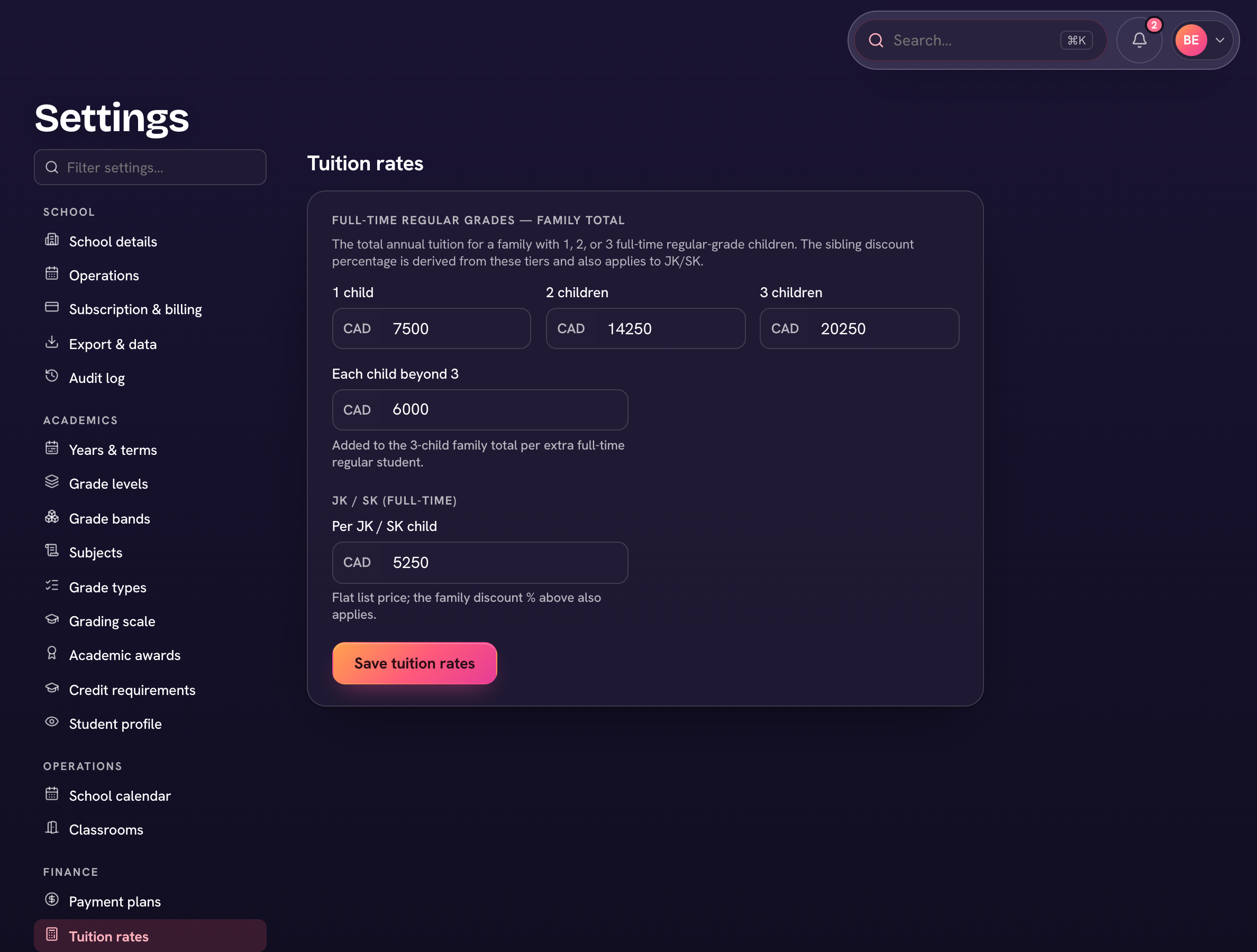
Tuition in Trivium is priced by family size — the family total for one, two or three full-time children — with separate JK/SK and part-time rates. Rates feed each family's tuition and the invoices raised from their payment plan.
- Open Settings → Tuition rates.
- Under Full-time regular grades — family total, enter the amounts for 1 child, 2 children, 3 children, and Each child beyond 3.
- Enter the Per JK / SK child rate, and (if your school offers part-time) the First part-time child and Each after the first amounts.
- Choose Save tuition rates.
- Need different pricing for some grades (a High School, say)? Under Pricing tiers choose + Add a pricing tier, give it its own family-size amounts, then assign grades to it and Save assignments. Grades left on — Default rates — use the rates above.