Migration
Switching is the easy part.
The thing that keeps schools on software they've outgrown isn't love. It's the dread of re-typing a decade of records. So we made the move itself the most polished part of the product.
Coming from FACTS, Gradelink, Sycamore, or a folder of spreadsheets, the worry is the same: years of students, families, grades, and transcripts held in a system you're trying to leave.
Your data is not a hostage. If your current system can export a CSV (and they all can), Trivium can import it. And if you'd rather not touch a spreadsheet at all, we'll do the whole thing for you.
Importers
Everything comes across. Nothing gets re-typed.
Purpose-built CSV importers for each kind of record. Each one previews before it writes, skips bad rows instead of failing, and dedupes—so you can re-run an import safely instead of holding your breath.
Students & families
Students arrive with their guardians already linked. The importer recognizes records it has seen before, so running it twice fixes gaps instead of creating twins.
Staff
Teachers and office staff imported in one pass, ready to be assigned to classes.
Classes
Your course list and sections, imported rather than rebuilt by hand.
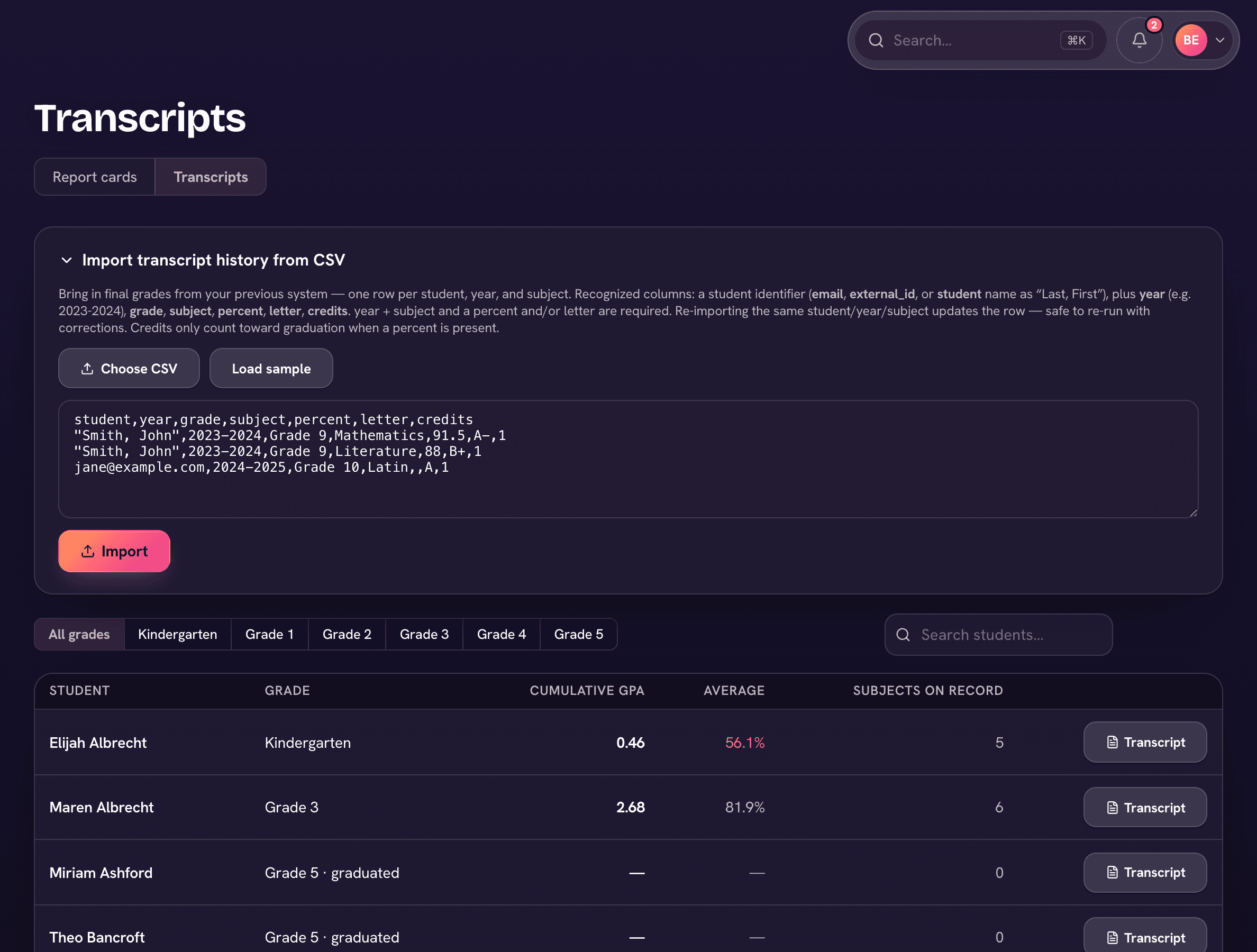
Transcript history
Prior-year final grades import as read-only history and land on the real transcript, right next to the years Trivium computes live. Seniors graduate with their whole record.
Standardized test scores
Years of CLT and other standardized results import in bulk, so growth charts and reports start with history instead of a blank page.
Library catalog
Bulk-import your whole catalog, and circulation starts on day one.
Finance history
Import payment history from QuickBooks exports, so family balances don't reset to amnesia.
Or: we do it for you
White-glove migration—we'll handle the move from your current system end to end. One-time onboarding fee by school size, published on our pricing page.
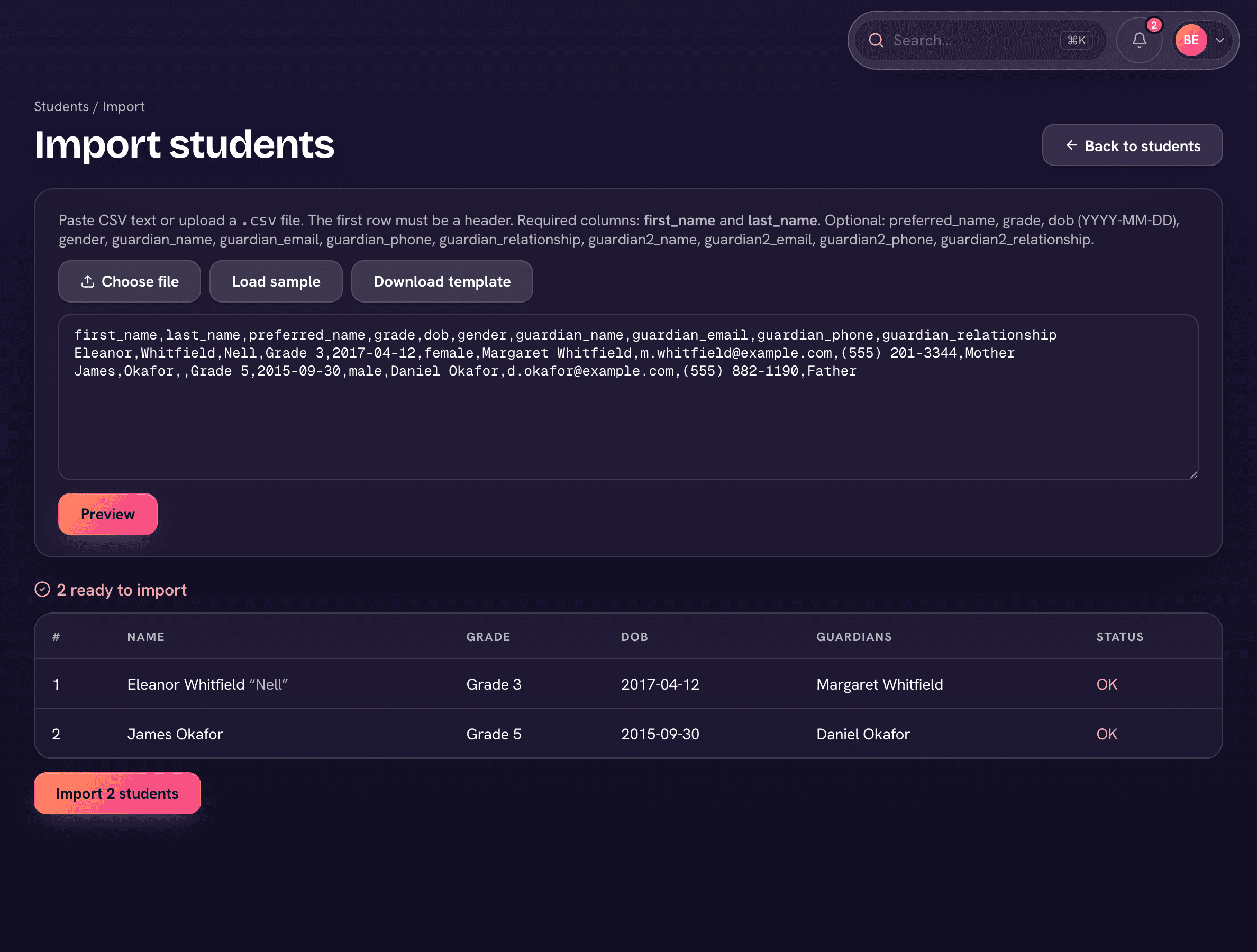
Students & families
Preview first. Import second.
Upload the CSV and Trivium shows you exactly what it's about to do before a single record is written: who's new, who matches an existing record, and which rows have problems.
- Row-by-row preview with errors flagged up front
- Duplicate detection against records already in Trivium
- Safe to re-run: fixed files fill gaps, never double-import
Transcript history
Prior years land on real transcripts.
Final grades from your old system import as read-only history and print on the same transcript as the years Trivium computes—one document, no asterisks, no 'see attached'.
How it goes
Four steps. Most schools go live between terms.
Export from your old system
Every system can export CSVs—students, families, grades. That's all we need. If exporting is the hard part, we'll help you find the buttons.
We import, you review
Your data lands in Trivium and you check it against reality: every student, family link, and prior-year grade. Nothing goes live until you say it's right.
Parents get their invites
Families receive their accounts with their children already linked—no self-registration, no orphaned logins.
Go live
Teachers take attendance on day one in a system that already knows their classes. The old system becomes a backup, then a memory.
Bring an export. Leave with a plan.
Book a demo and we'll walk your actual data through the move—so you can see your own students in Trivium before you decide anything.