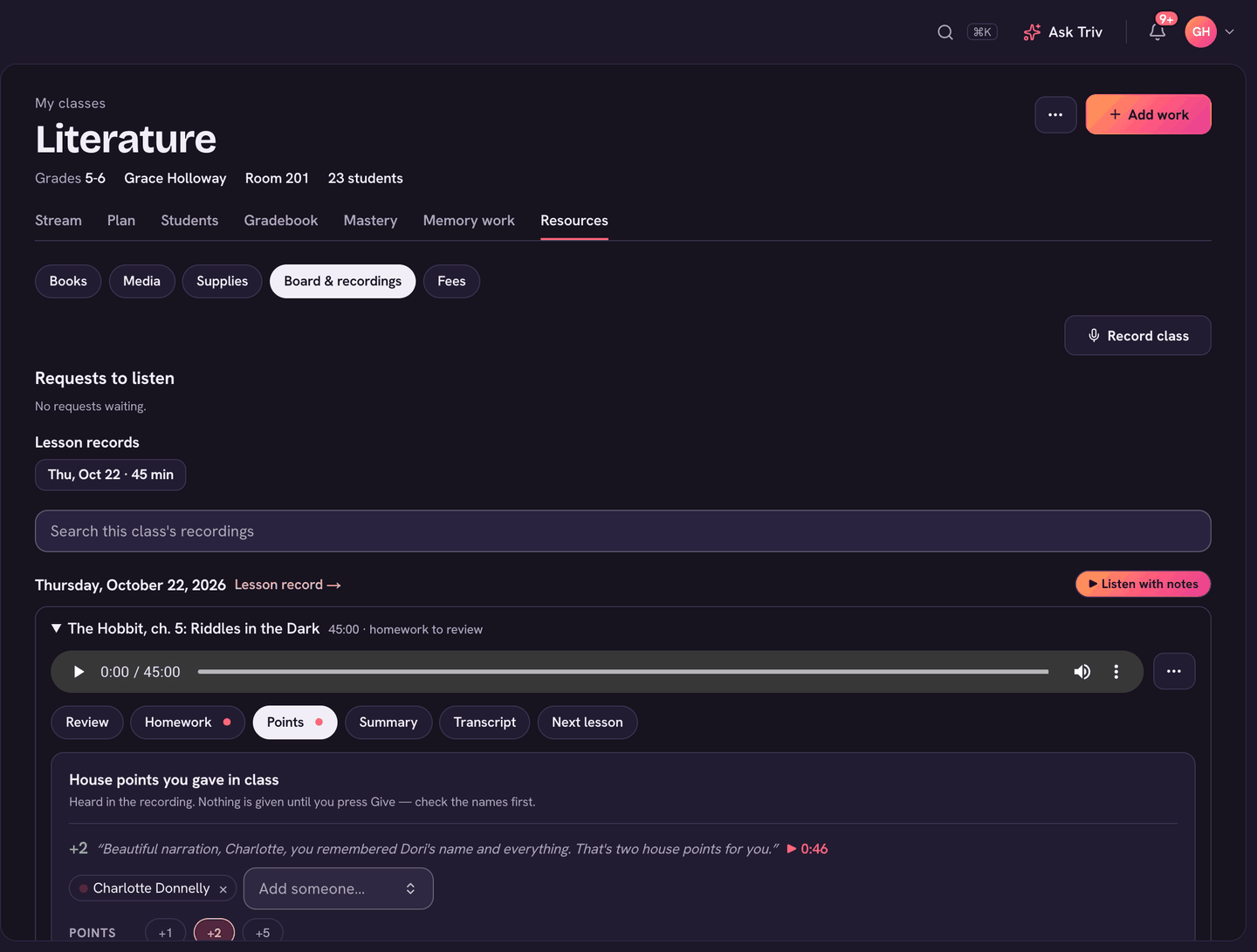
If you record a class and say something like "two points to Hannah for helping a classmate", Trivium hears it when it makes the class notes. Afterwards, those points wait on a Points tab for you to check. Nothing is given until you press Give.
This works when your school runs houses, has Ask Triv, and class notes are made for the recording.
Where to find it
- Right after you stop recording, the card in the corner shows House points you gave in class.
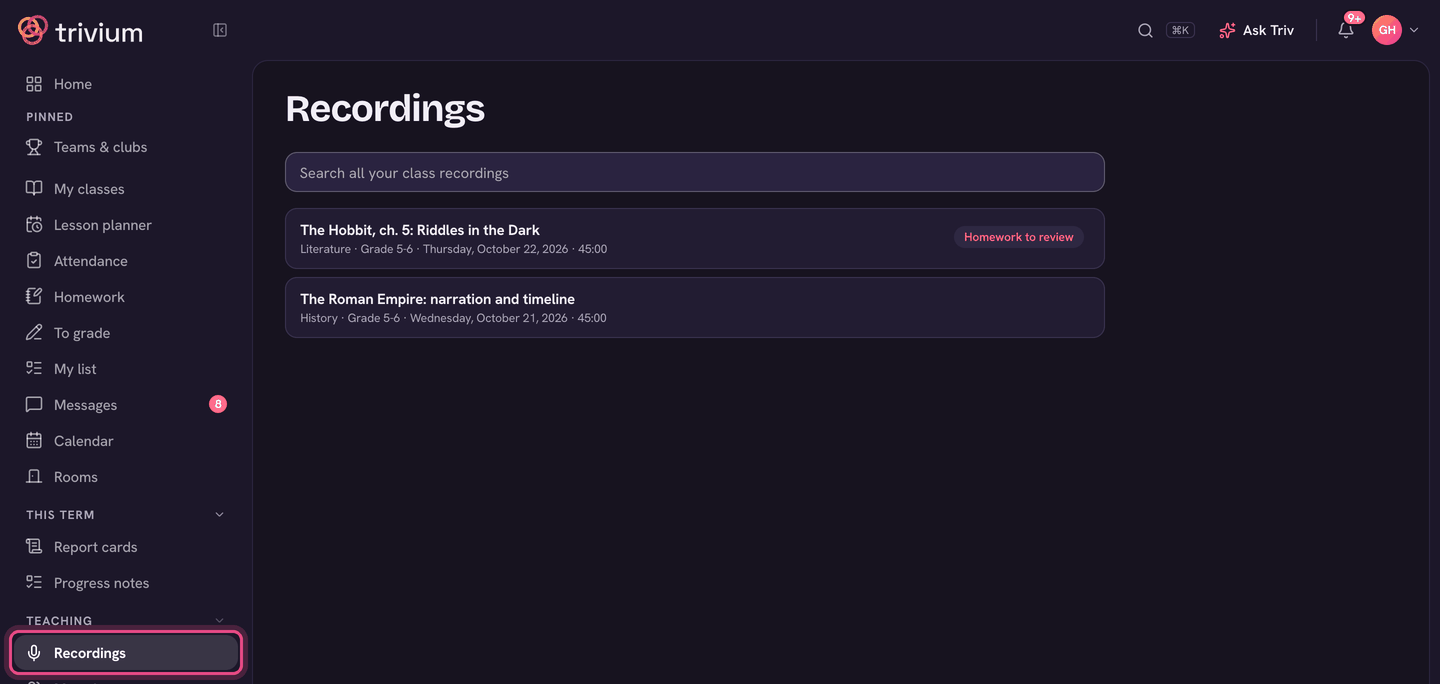
- Later, open Recordings in the sidebar and choose the recording. The class notes open with a Points tab (a dot means some are still to give).
Check and give the points
- Open the Points tab. Each suggestion shows what was heard and when. Use the time to listen to that moment.
- Check who it's for. If no name was heard, or it didn't match anyone in the class, pick who it was for from the list (Everyone in the class is there too).
- Change the Points or the Reason if they're not right, and add a note if you like. Families see the note.
- Press Give (the button says how many points and to whom). It goes through the same rules as any other house points.
- Not really points (a joke, or a threat)? Choose Not points.
- Points you gave show as ✓ Gave +2 to [name], with Undo.
- Ones you set aside show as Not points, with Bring back.
- Taking points away works the same way. If your school needs a house head to approve deductions, the button says Ask to take away.
Not seeing a Points tab? The recording may not have class notes yet. Choose Make class notes on the recording, then check back in a minute.
For recording itself, and who can listen, see Class recordings. Points from recordings are on the web only for now.