Dismissal is the end-of-day list for the curb. Every child is grouped by how they go home today: their usual way, or the one-day change their family sent. You tap Release as each child leaves, and Trivium logs who they went with and when.
Where to find it
Admins and the office: choose Dismissal in the sidebar (it's also the first tab of Campus). Teachers: open the Students group in the sidebar and choose Dismissal. Teachers only see this row if they lead a cohort or take its roll, and their list shows just those children.
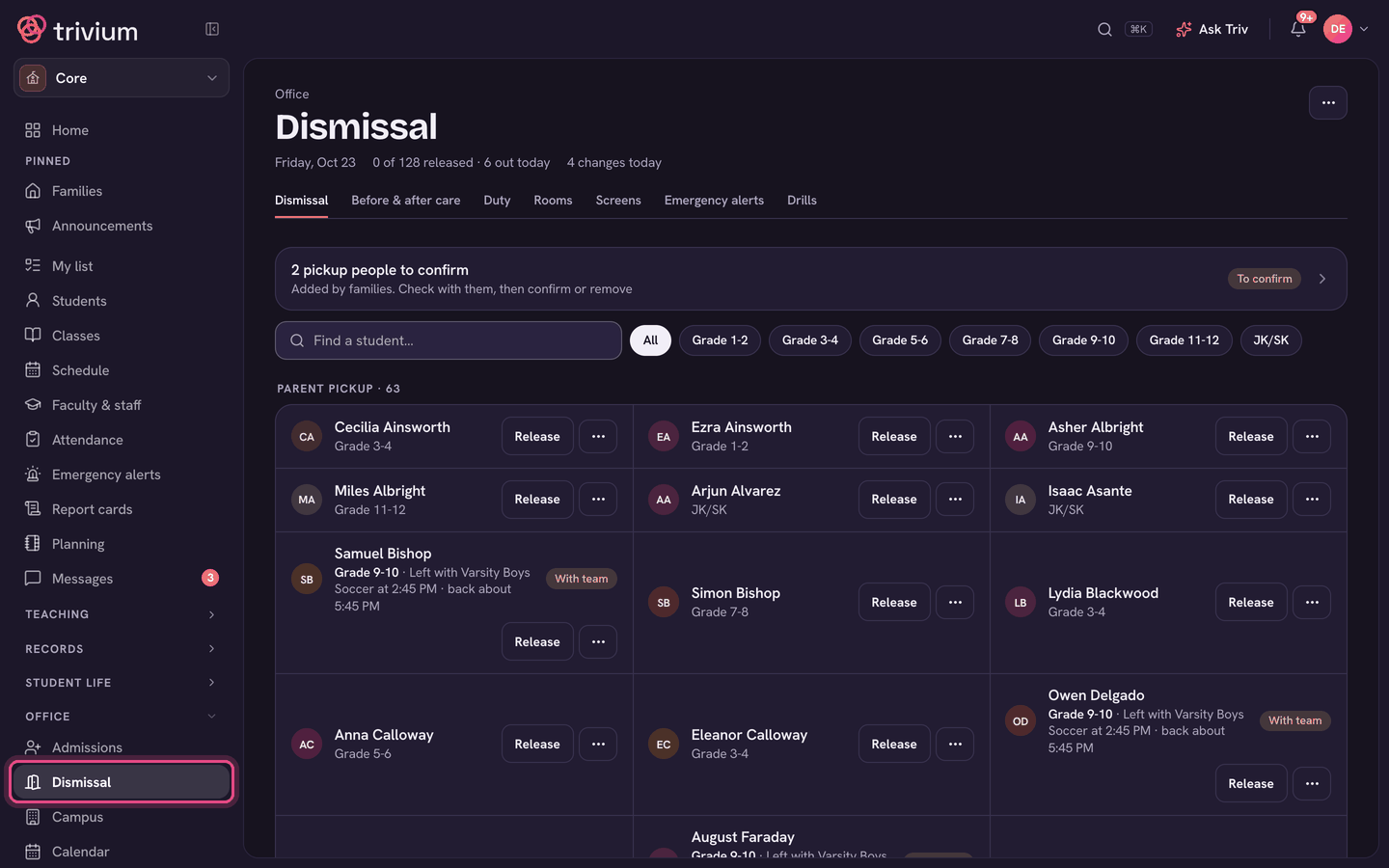
Reading the list
- The top line shows today's date, how many children are released so far, and how many going-home changes came in today.
- Each section is a way home (for example Carpool or Bus) with a count. A child with no usual way on file sits under Not set.
- A Changed today pill means the family sent a one-day change. Late change means it came in after your school's cutoff time.
- The line under a name says who is picking up. If that person hasn't been confirmed by the office yet, it warns you to check ID.
- Children who were signed out early or are absent today move to Out today, folded at the bottom, so the counts above are only the children still here.
- Use Find a student… or the cohort chips to find one child fast. ⋯ → Only today's changes hides everyone else.
Release a child
- Find the child and choose Release on their card.
- Under Who are they going with?, tap the person. Today's named person comes first, then the family's guardians and other pickup people.
- Someone not on the list? Type their name under Someone else and choose Release. For a walker or a bus rider, choose Release (no one named).
- The card now shows the time and the person. Tapped the wrong child? Use the undo arrow beside the time.
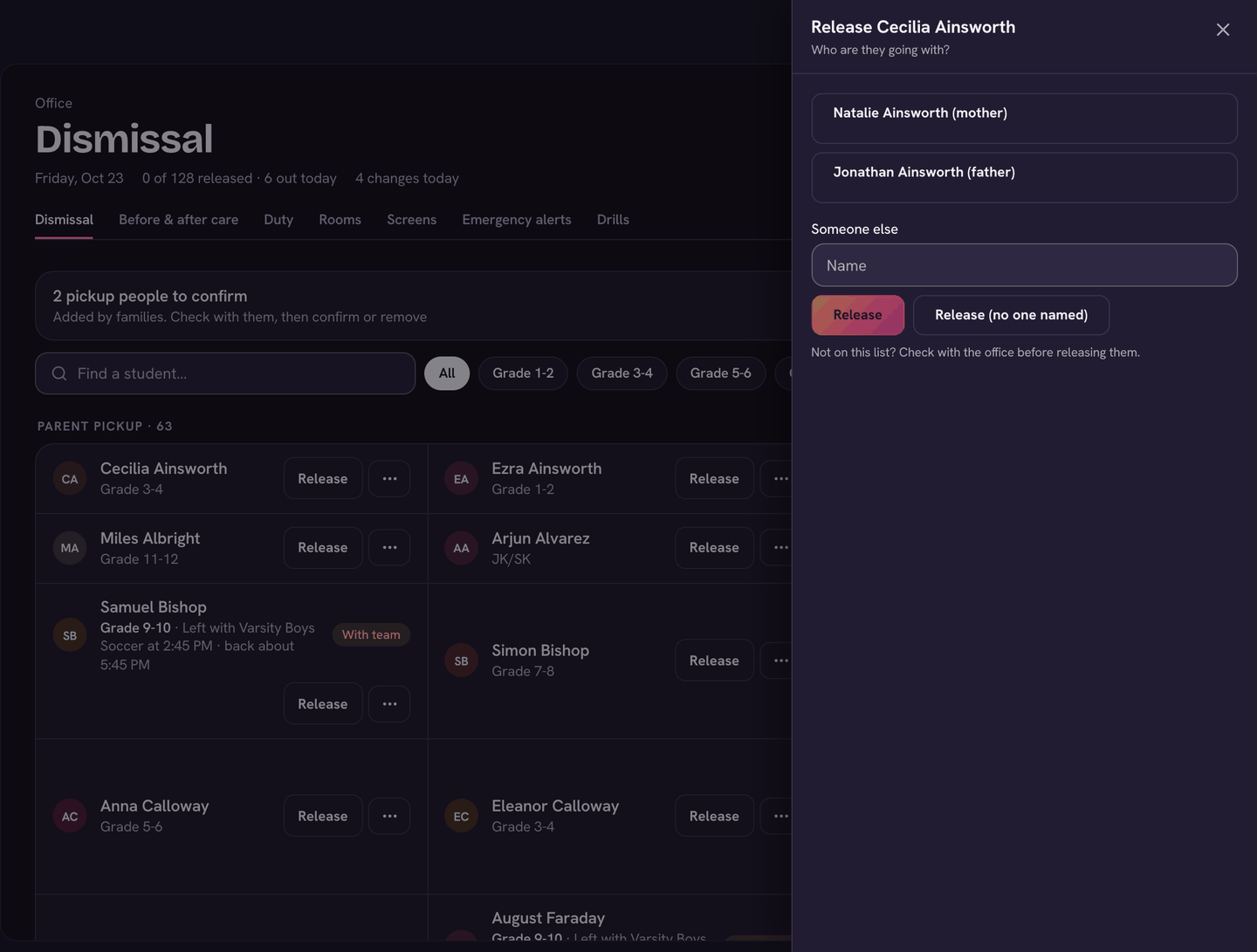
A name marked Not yet confirmed by the office — check ID was added by the family and hasn't been checked yet. Ask for ID, or check with the office, before you release the child.
For the office
- Set usual… on a Not set card picks that child's usual way home. When several children have none, the card above the list sets one way for all of them at once (Set for all).
- A parent at the desk taking a child early? Open ⋯ on the child's card and choose Sign out early. It opens the attendance form for leaving early.
- ⋯ → Dismissal settings sets your Ways home (add, rename or remove them; Asks which one? makes families name the bus route or carpool) and the Late-change cutoff.
- Teachers can't set a usual way. When their list has children under Not set, they see Ask the office instead.
Confirm pickup people
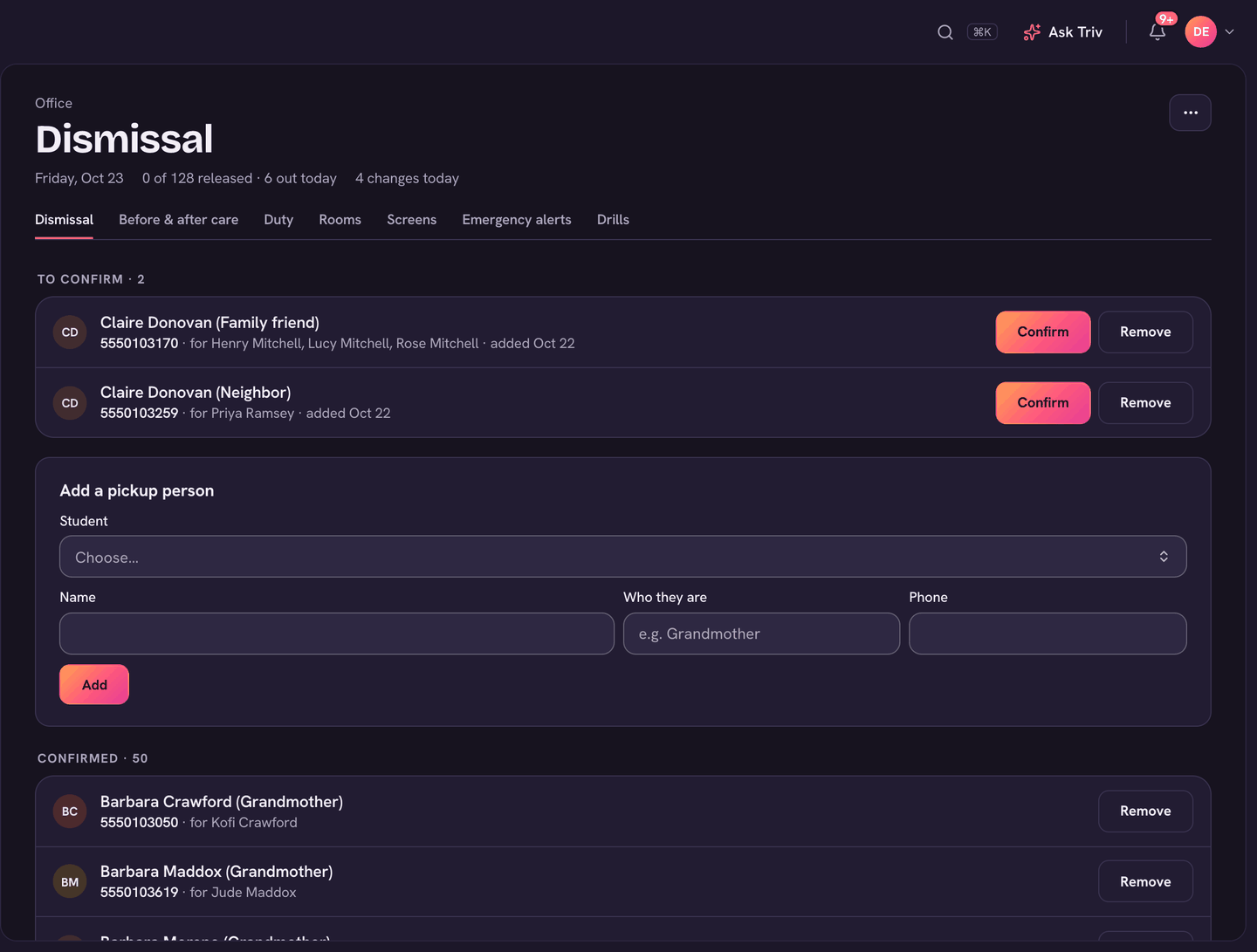
Families can add a grandparent, sitter or carpool driver who may collect their children. The office checks each one before they show as confirmed.
- When someone is waiting, a row reads N pickup people to confirm at the top of Dismissal. Choose it, or open ⋯ → Pickup people.
- Under To confirm, check with the family, then choose Confirm or Remove.
- To add someone yourself, use Add a pickup person: choose the Student, fill in Name, Who they are and Phone, and choose Add. People you add are confirmed straight away.
- Everyone already approved is listed under Confirmed, with Remove beside each.
What families do
- A one-day change: on Report an absence, families choose Going home differently, pick how the child is getting home (or The usual way — someone else is picking up), who is picking up, and which days. It lands on your list as Changed today.
- Their child's usual way home and Who else may pick up live in Family details, under Getting home. Anyone they add there comes to you to confirm.
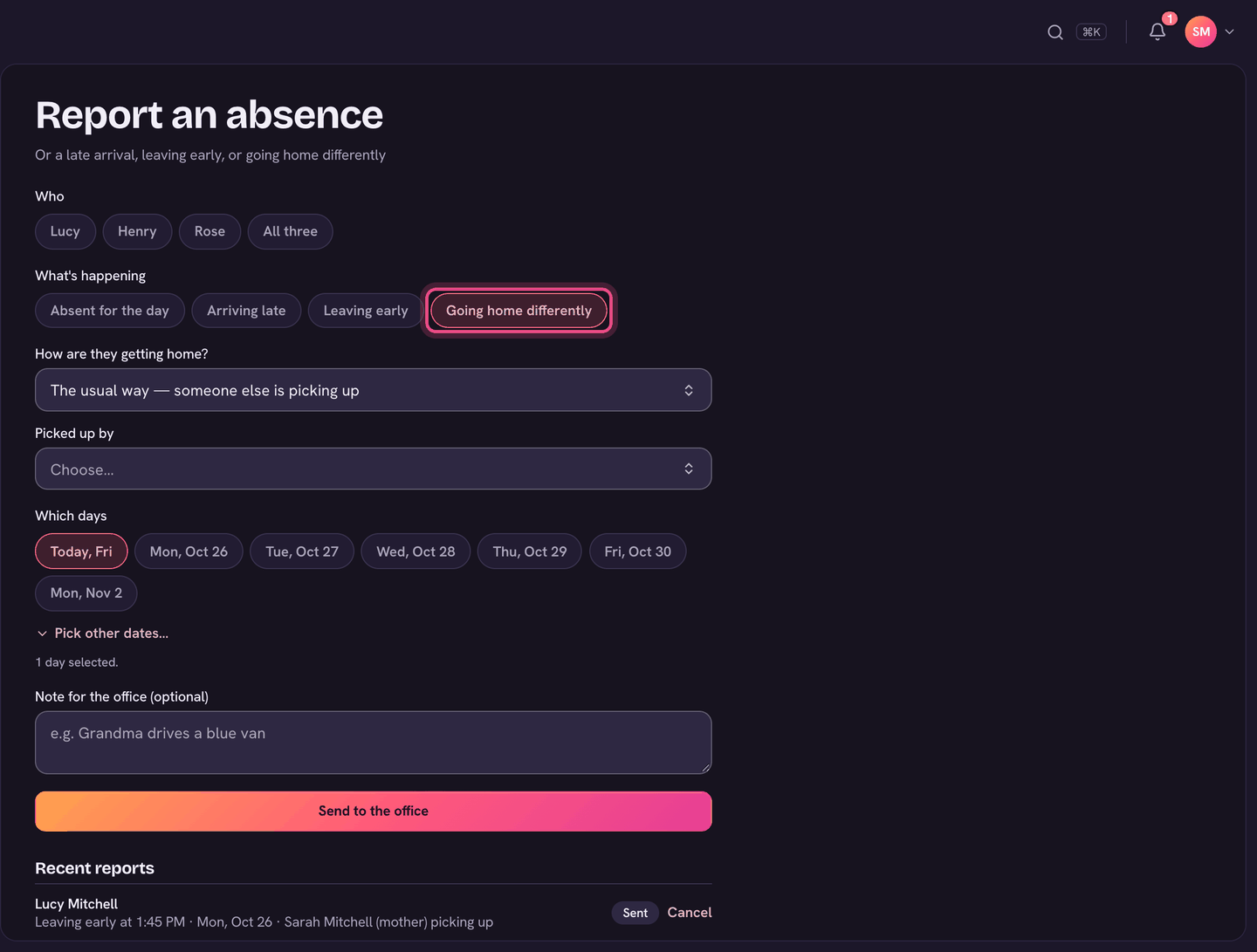
Changes sent at or after the cutoff are flagged Late change, and the office is told, so a late switch doesn't slip past the curb.
On the app
- Tap your avatar (top left) to open the menu, and choose Dismissal under Students.
- The list is grouped the same way. Tap Release on a child, then the person they're going with, or type a name and tap Release. No one named is for walkers and bus riders.
- ⋯ at the top has Only today's changes and, for the office, Pickup people, where you can Confirm or Remove each person families added.