When a teacher is out, the office assigns someone to each of their classes. That person, whether a substitute or another teacher, gets a Covering today page with just those classes: the plan the teacher left, the roll, and the safety notes for the room.
Where to find it
- A substitute lands on Covering today when they sign in. It's the only page they have.
- A teacher who is covering sees Covering · class name on Today's schedule. Choose it to open the cover sheet.
How a class gets cover
- The teacher uses I'm out (or requests time off) and leaves plans. See Sub plans & “I'm out”.
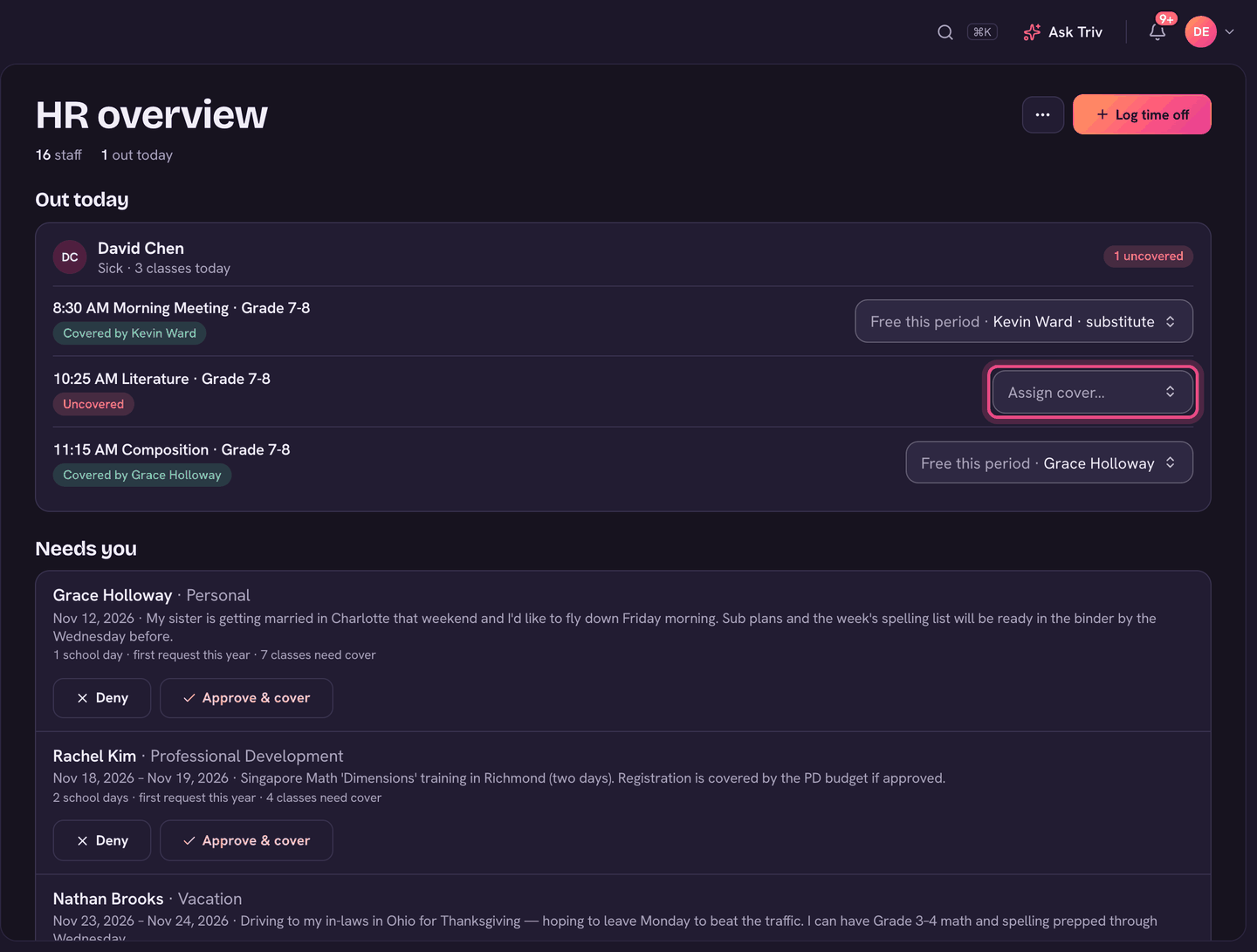
- The office sees the absence under Out today on the HR page, with each class marked Covered by … or Uncovered. Admins can open the same list from Home.
- For each class, the admin picks someone from Assign cover…. Staff Free this period are listed first, then those Teaching then. Substitutes are marked.
- The person covering is notified, and the class appears on their Covering today.
What the person covering sees
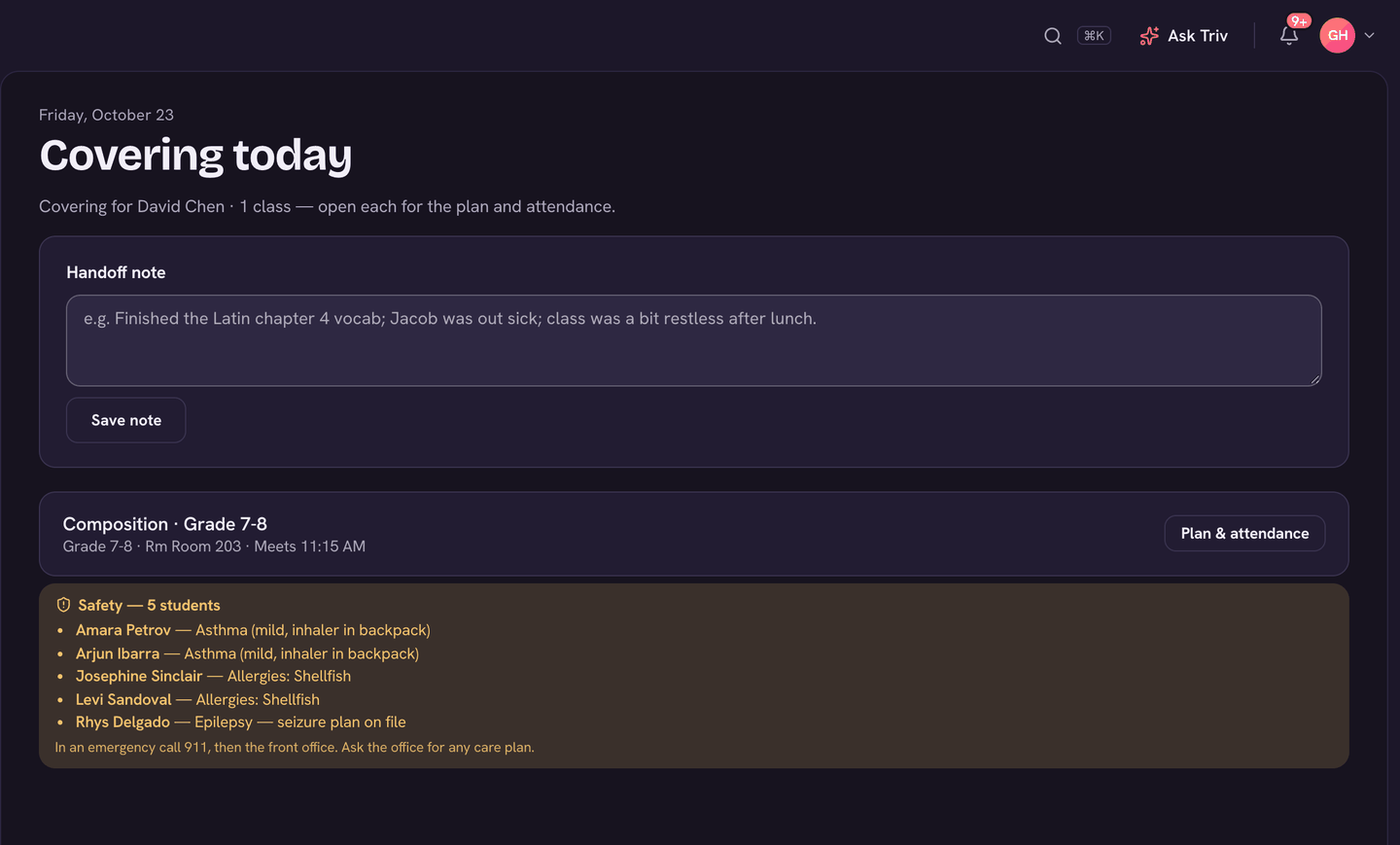
- Covering for (the teacher's name) and how many classes, each with its grade, room and time.
- Safety: a short list of students in the class with a life-threatening allergy, an emergency condition or rescue medication. It isn't the full health record; ask the office for any care plan.
- Plan & attendance (Take attendance if your school doesn't use sub plans) opens the class: the plan the teacher chose (today's lesson, a sub version, or the emergency plan) with their note, then the attendance roll.
- Enter grades, if the school lets substitutes grade.
- Handoff note: write what you covered and anything the teacher should know, then choose Save note. They see it when they're back.
A substitute sees nothing else in the school: no other classes, grades or records, and only on the days they cover. For a sub without a Trivium account, the teacher can make a sub link instead (see Sub plans & “I'm out”).
On the app
- A substitute's Home is Covering today, grouped by teacher. Tap a class for the lesson, the roll and grades.
- Note for (teacher's name) opens the handoff note. Choose Save note.
- A teacher who is covering sees Covering · class name on Home's schedule.