When a teacher is out, a substitute steps into exactly their classes — and nothing else. Substitutes get their own role and a deliberately small world: a Covering today page listing only the classes they're covering, only on the dates of the absence.
- Give the substitute an account with the Substitute role (Faculty & staff, or the staff importer). They appear in HR → Substitutes, where a row's ⋯ sets their Day rate.
- Record the teacher's absence on their HR page (Time away → Log time away) — or approve their time-off request.
- Open the absence from the Time away tab (its ⋯) and assign coverage — per class, so two subs can split a day.
- Add an optional note for the sub ("lesson plans on my desk, dismissal at 2").
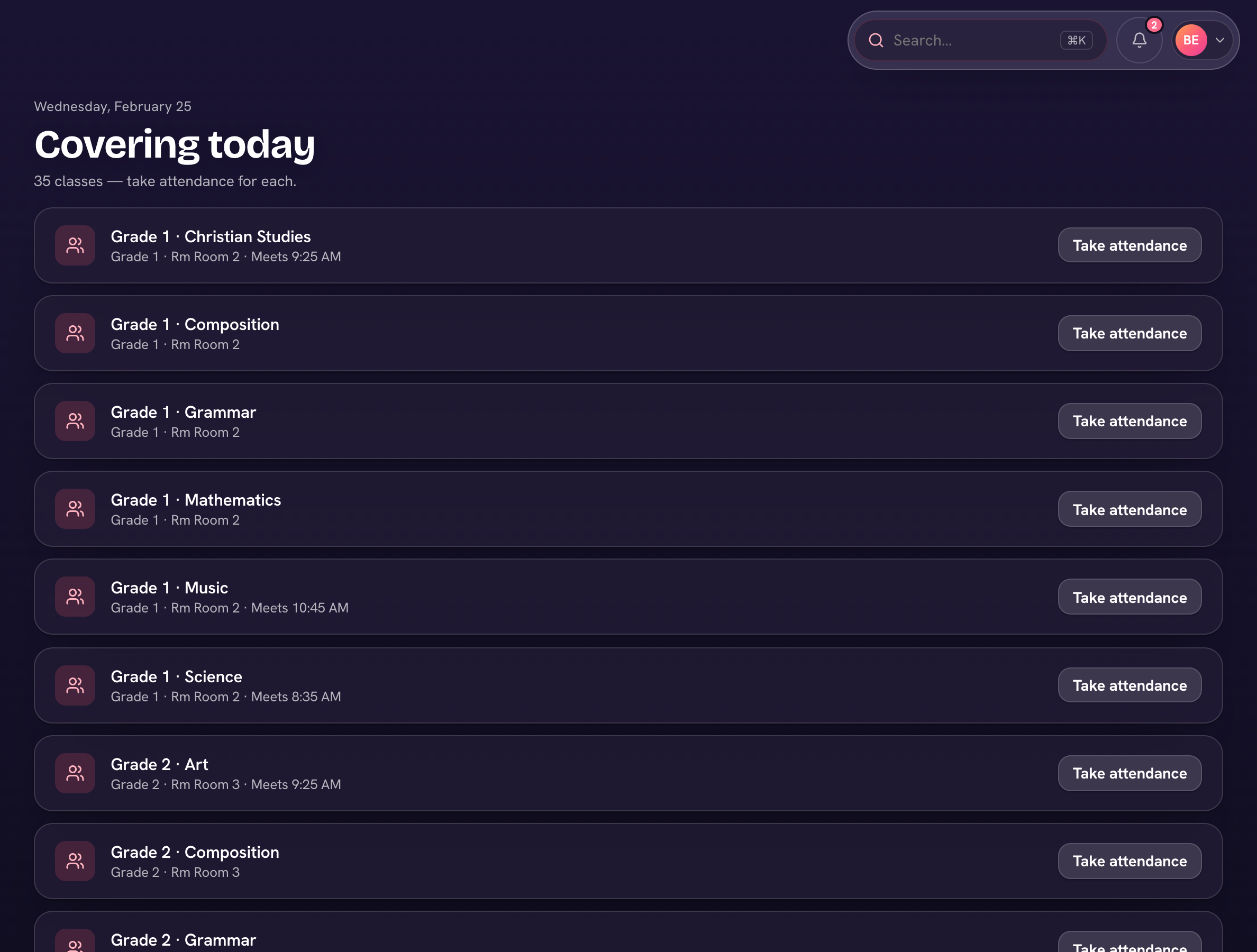
The sub signs in, sees the covered classes with room and meeting time, and takes attendance for each. If you turn on Substitute grading under HR → Settings, they can also enter grades for those classes on the days they cover — otherwise grading stays with the returning teacher. Days covered add up on HR → Substitutes (Days and Owed), and a row's ⋯ → Add to run puts the amount on a draft payroll run.
Subs never see the rest of the school — no other rosters, grades, or records. Their access ends with the absence.