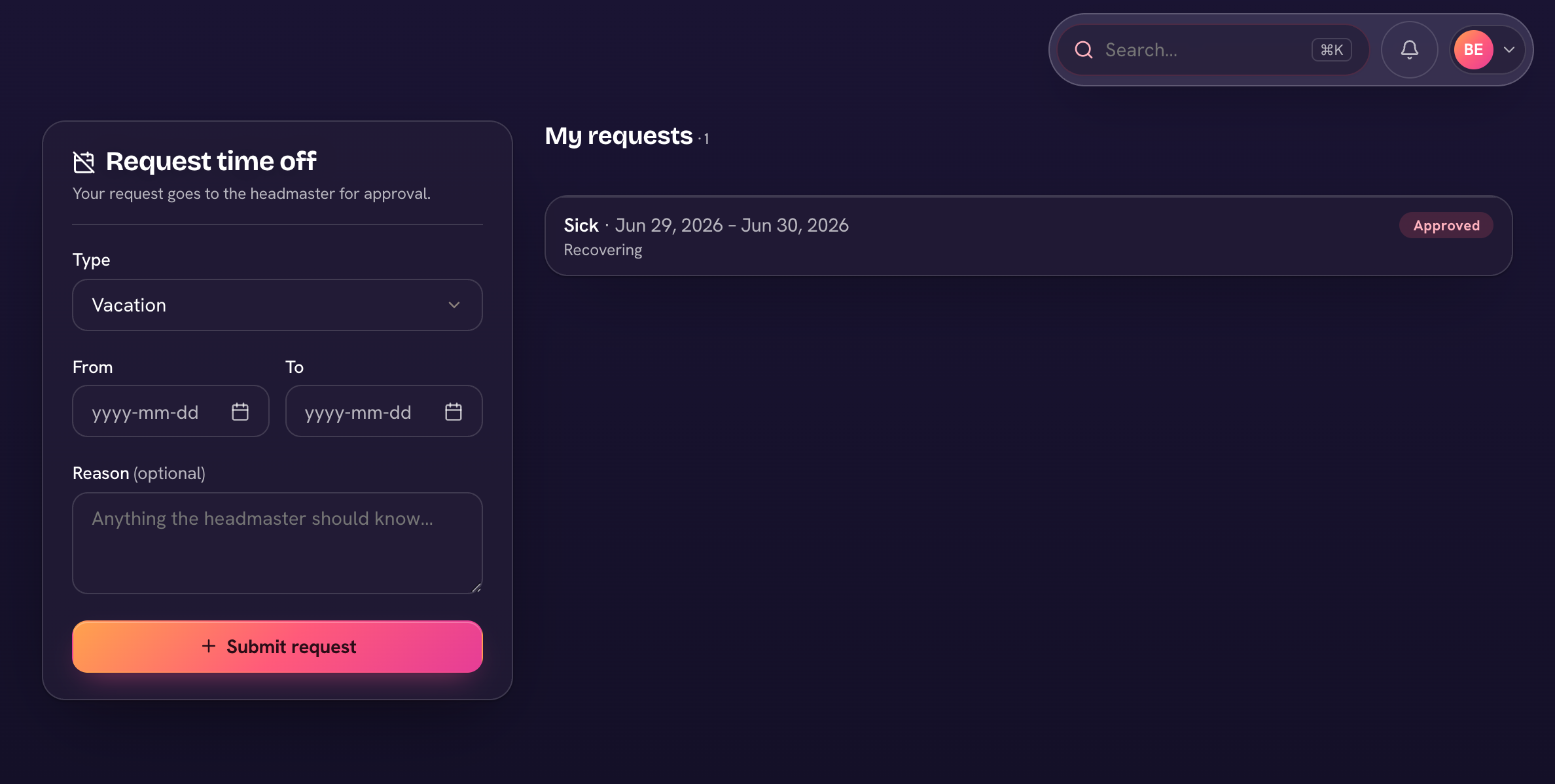
Teachers request time off right in Trivium — no paper slips. Open Time off in your navigation.
- Choose Request time off.
- Pick the Type (your school sets these — sick, personal, professional development…), set From and To, and add an optional reason.
- Choose Submit request — it goes to the headmaster for approval. Your requests and their status (Pending, Approved, Rejected) are listed under My requests; cancel a pending one with its ✕.
Once a request is approved, the Time off page offers "Push my lessons for this day →", which opens the planner's I missed a day and moves your lessons in every class at once. You can also leave plans for your sub from the same page.
For admins
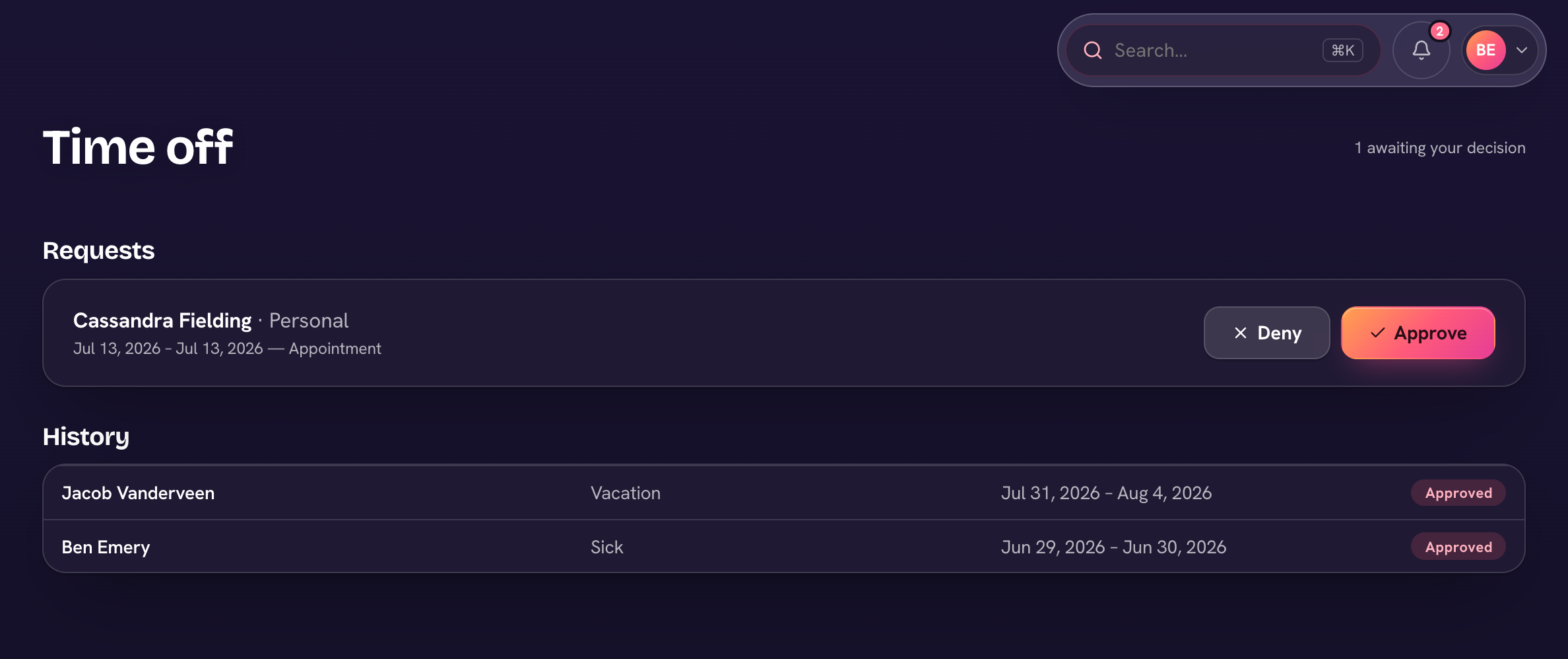
Requests queue under HR → Time off (and on the HR dashboard's Needs you list), where you Approve or Deny each one. Decided requests and logged absences move to the History table below. Approving a request records the absence so you can arrange substitute coverage.
Add your leave types under HR → Settings → Leave types — staff can't request time off until at least one exists.