Moving to Trivium doesn't mean retyping the school. The student importer takes a CSV — one row per student, guardians on the same row — and builds students, guardians, and family links in one pass.
- Open Students, then ⋯ → Import students. Required columns: first_name and last_name. Optional: preferred_name, grade, dob (YYYY-MM-DD), gender, and up to two guardians (guardian_name, guardian_email, guardian_phone, guardian_relationship, plus guardian2_…).
- Use Download template for a ready-made header row, or Load sample to see the shape.
- Choose file (or paste CSV text) and hit Preview — every row is checked and shown with its status before anything is written.
- Choose Import. You'll get a tally of students created and updated, new guardians, and family links.
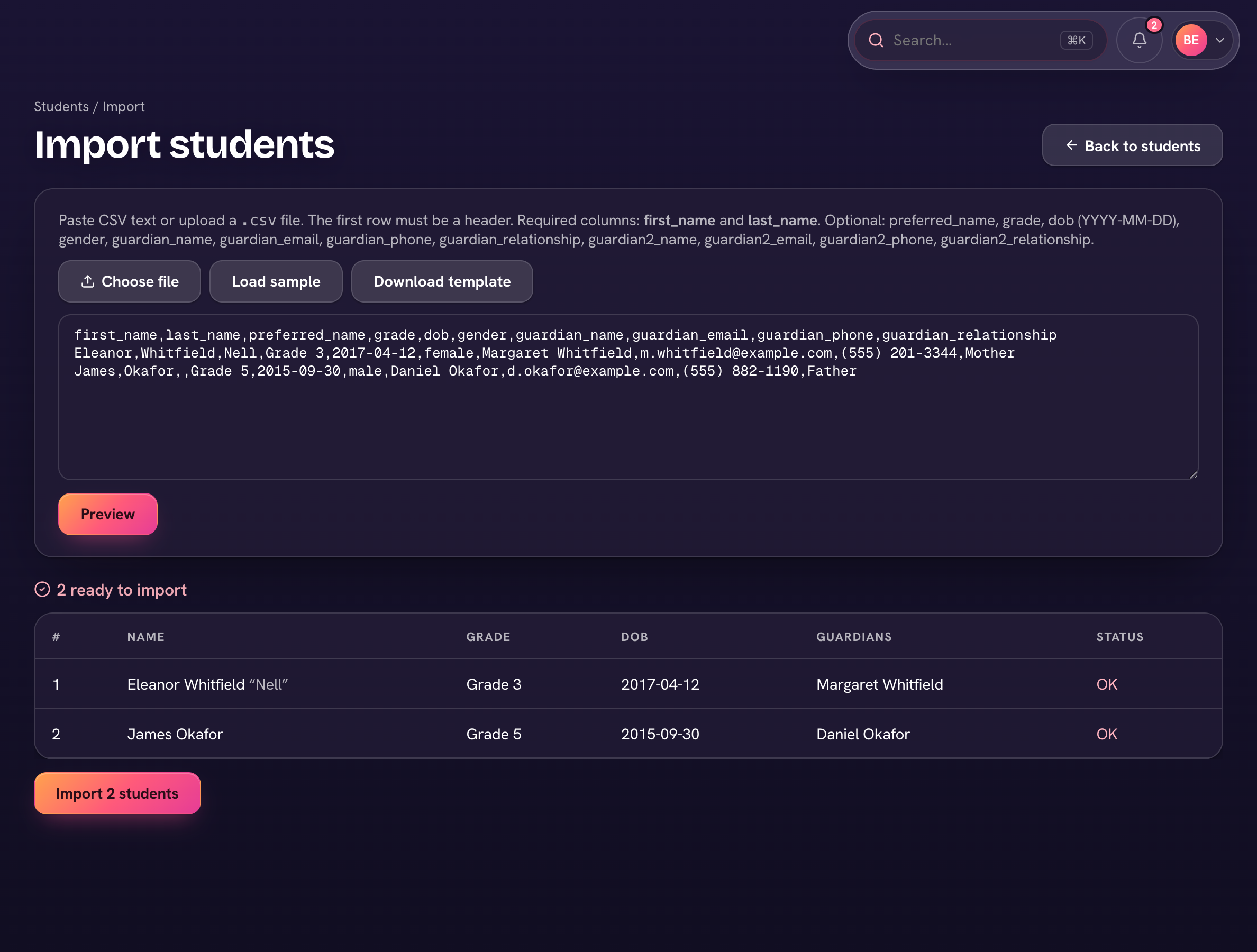
Re-runs are safe: students are matched by name and date of birth, guardians by email, so importing the same file twice updates rather than duplicates. Siblings sharing a guardian land in the same family automatically.
Staff and classes have their own importers — Faculty & staff → ⋯ → Import staff (required column: email) and Classes → ⋯ → Import classes (subject + grade, with optional teacher email and room).