Fitness tests records each student's results in the tests a class is measured on, like a beep test or push-ups. You record a Benchmark at the start of the year, then a result each term. Results also show on the student's record.
Where to find it
Teachers: choose Fitness tests in the sidebar (under Students). Admins: choose Activities, then the Fitness tests tab.
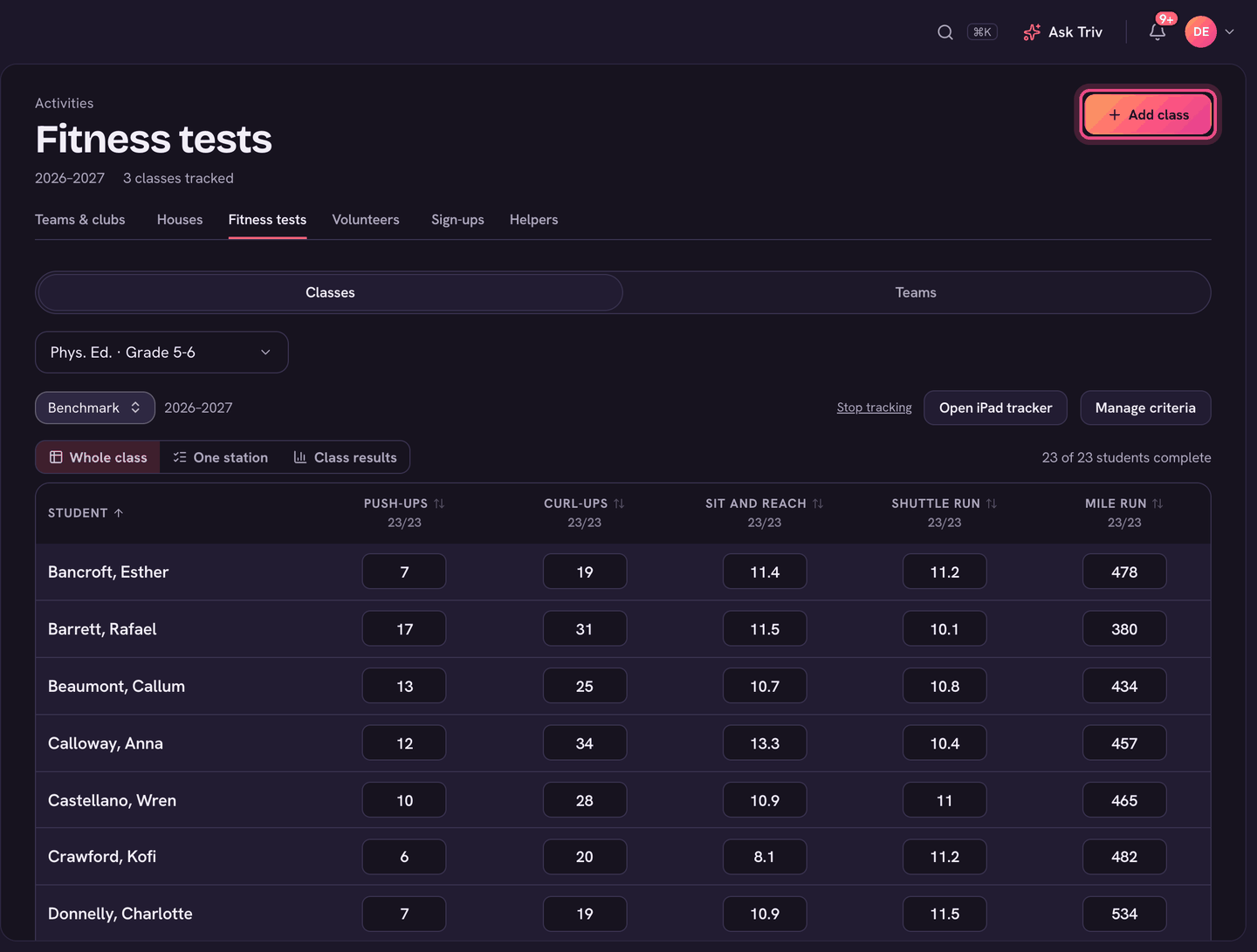
Set up a class
- Choose Add class and pick the class. PE classes are listed first; Show all classes lists the rest.
- Choose Add criteria (or Manage criteria later).
- Add tests From the test list, or type a New criterion with its unit and whether higher is better. Drag to reorder; the grid's columns follow.
Record results
- Pick the class and the period: Benchmark or a term.
- Whole class: type each result in the grid. It saves when you leave the box.
- One station: pick the test you're running (each shows how many students are done, like 12/24) and go down the list.
- Open iPad tracker opens a tablet-sized tracker in a new tab, to leave at the gym.
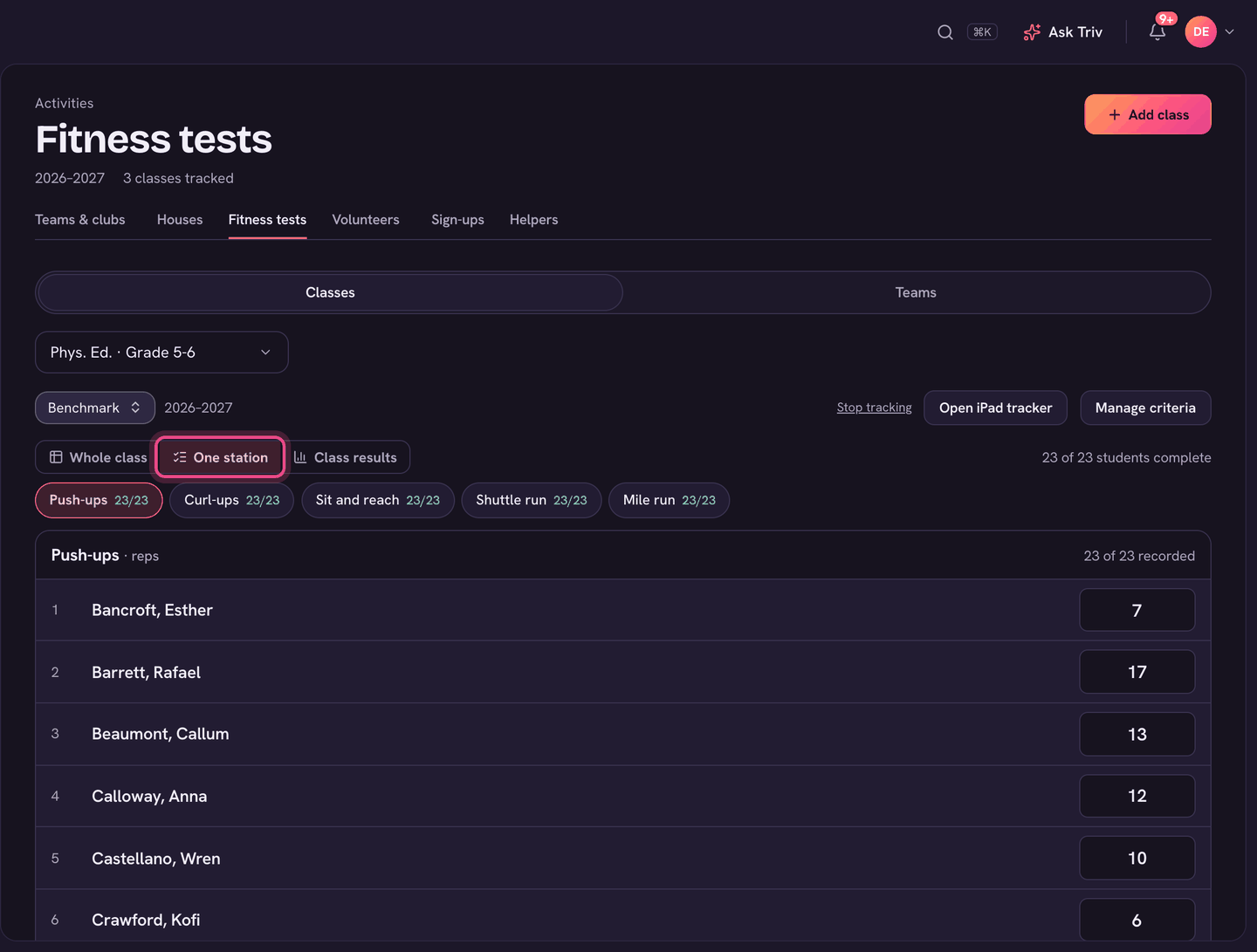
Results and reports to families
Class results shows each test's class average, median, best and range, then every student's results. Choose Send on a student's row to send their report to the family, or send several at once. Each family sees only their own child, with the class average. The report arrives in their messages from you.
On the app
- Open the menu and choose Fitness tests (under Students), then the class.
- Pick the period and the test, then tap a student to enter their result. Save & next moves to the next student. Push-ups can be marked Knee push-ups.
- For a beep test, press Start test. The phone plays the beeps; tap each child as they drop out.
- Set groups splits the class into testing groups (Split evenly does it for you).
Running teams: the lap tracker
Cross-country and running teams have a Lap tracker in the team page's ⋯ menu, on the web and in the app. On the web, Volunteer link makes a link parent volunteers can open without signing in. Each volunteer picks their group, ticks who's there and runs their own clock. Stop sharing turns the link off.
Teams can run fitness testing days too. Admins choose Teams on the Fitness tests page to see them. Teams and classes use the same test list, so a beep test means the same thing on both.