A statement lists your family's invoices, payments, refunds and credits for the school year, with the balance at the end. It's useful for your records, for taxes, or to check what's left to pay.
Where to find it
Open Billing. The Year statement button is under your payments. It's also under More actions (⋯) at the top, as Year statement (PDF).
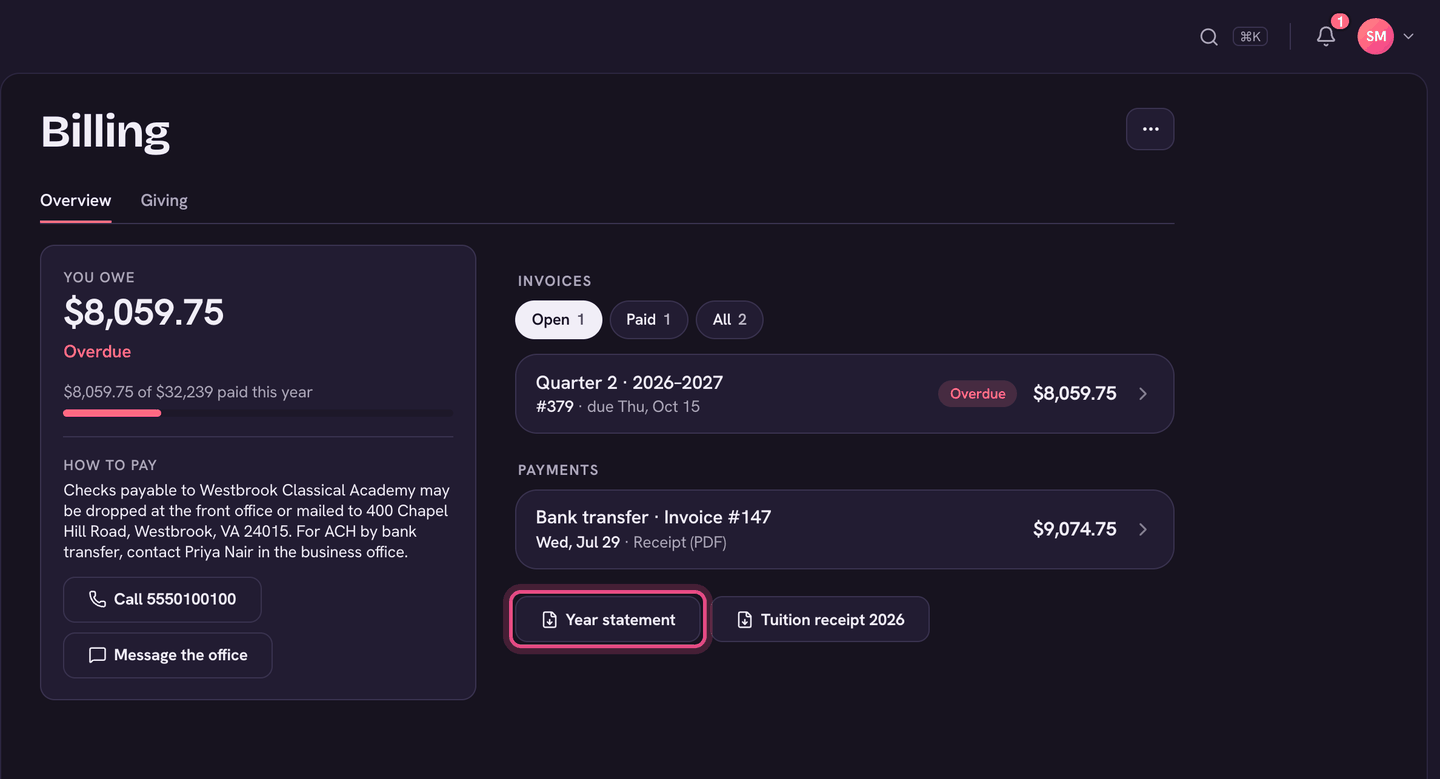
Download it
- Open Billing.
- Choose Year statement under Payments (or More actions (⋯), then Year statement (PDF)).
- The PDF opens. Save or print it from there.
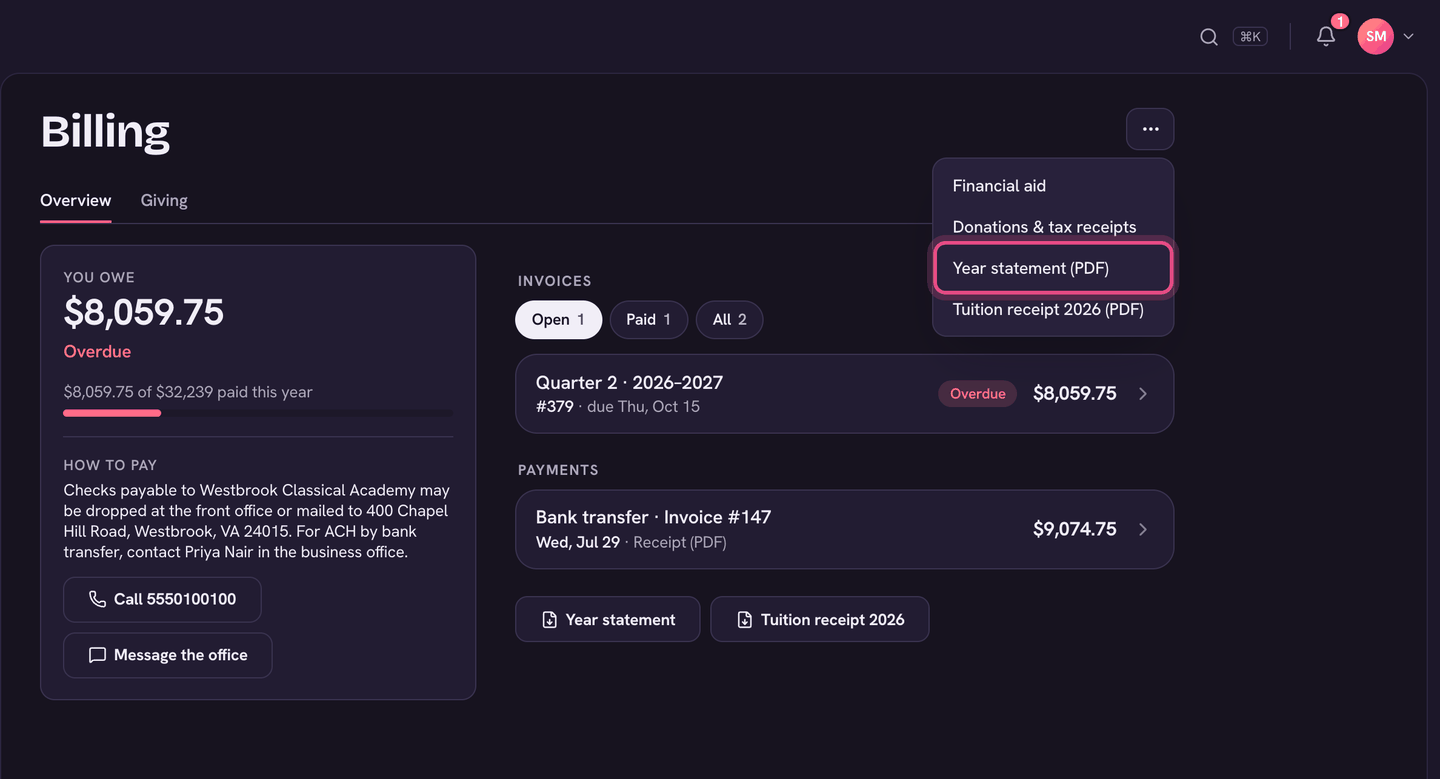
A statement emailed by the school
The office can also email you a statement of account. It lists the invoices and the balance due, with the full statement attached as a PDF. If your school takes payments online, the email has a Pay now button that opens Billing with those invoices already ticked. Otherwise it has a See billing button.
On the app
- Tap your picture (top-left), then Billing.
- Tap Statements and receipts, under the balance.
- Tap This school year (PDF). Payment receipts are listed below it.
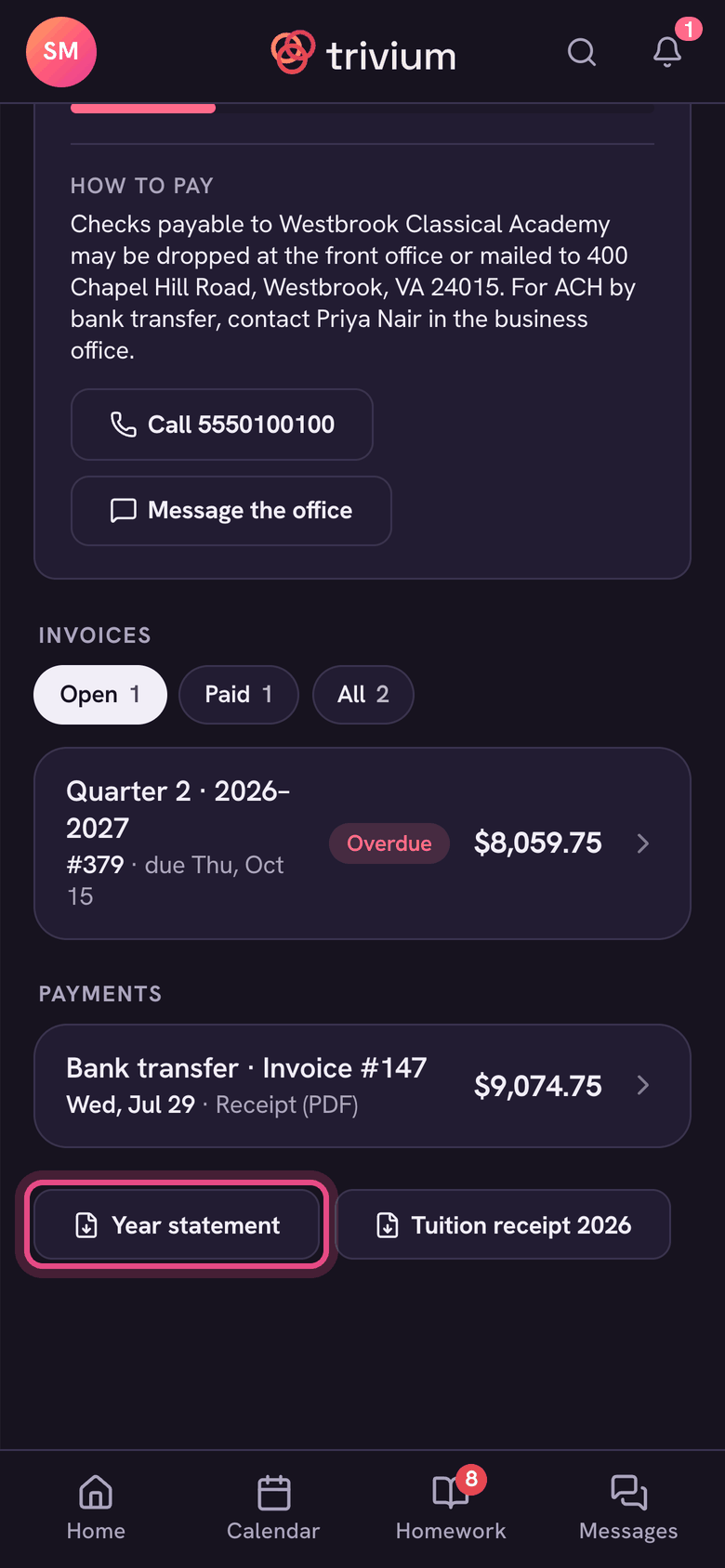
Need a receipt for the tuition you paid in a calendar year? Use Tuition receipt beside Year statement.
Something on the statement doesn't look right? Choose Message the school at the bottom of Billing.