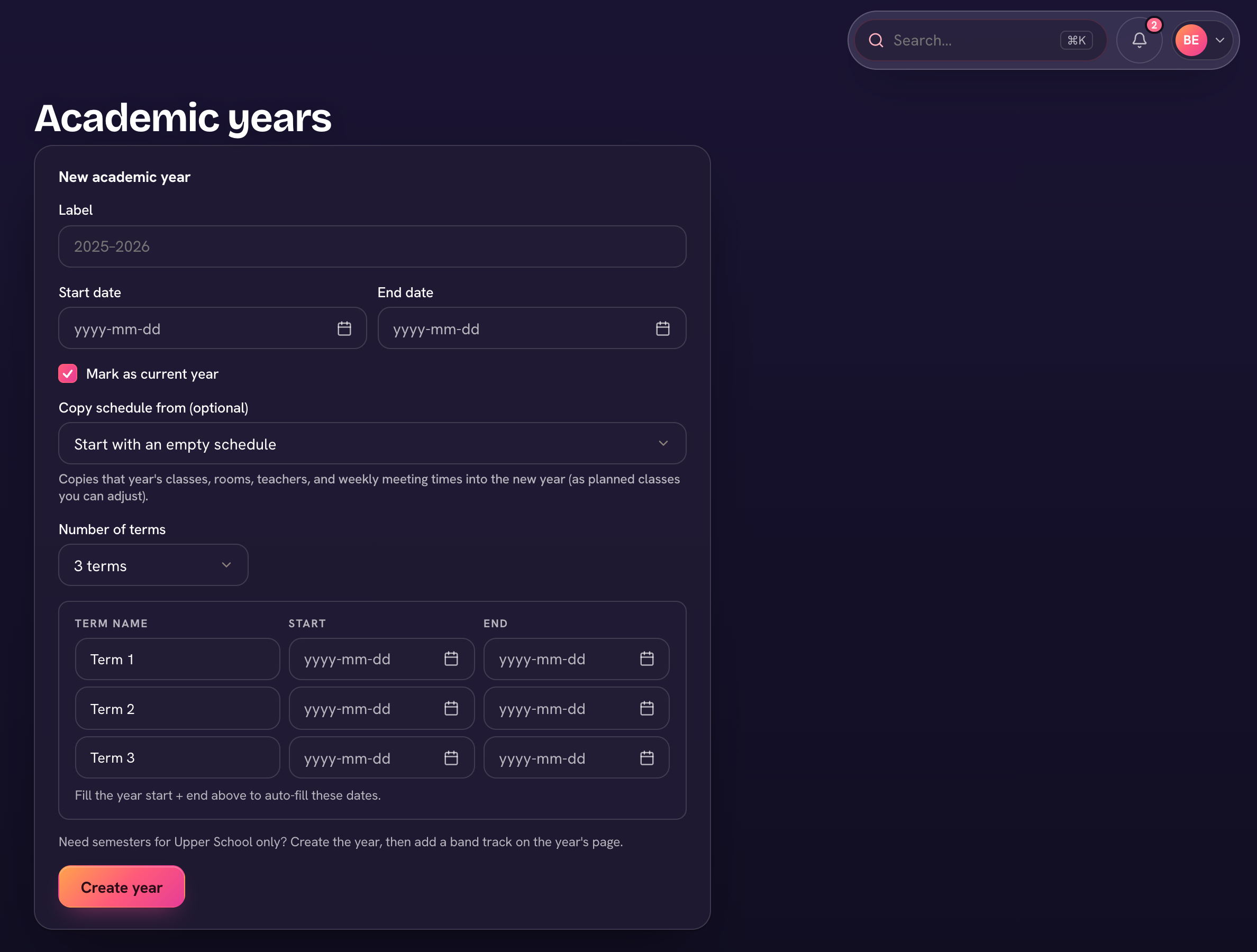
Under Settings → Years & terms, create the academic year and its terms (semesters, quarters, trimesters). Terms drive report cards, honor roll, and the gradebook's term selector.
- Open Settings → Years & terms.
- Choose Add new year. Enter its Label and Start and End dates, and tick Mark as current year if it starts now.
- Under Copy schedule from, pick last year to bring over its classes, rooms, teachers and weekly meeting times as planned classes you can adjust — or Start with an empty schedule.
- Set the Number of terms and check each term's name and dates (Reset term dates to even split helps), then Create year.
- When the new year begins, choose Make current on its row — it drives report cards, honor roll and the gradebook.
At year end, ⋯ → Promote students (year-end rollover)… moves everyone up a grade — preview it first — and ⋯ → Graduate the top grade (Alumni) moves your graduates to Alumni.