Every student builds a transcript automatically from their posted grades. Open Records → Transcripts to see the whole school, with each active student's cumulative GPA and average, then open any student's full transcript from there — or from the student's profile, ⋯ → Transcript.
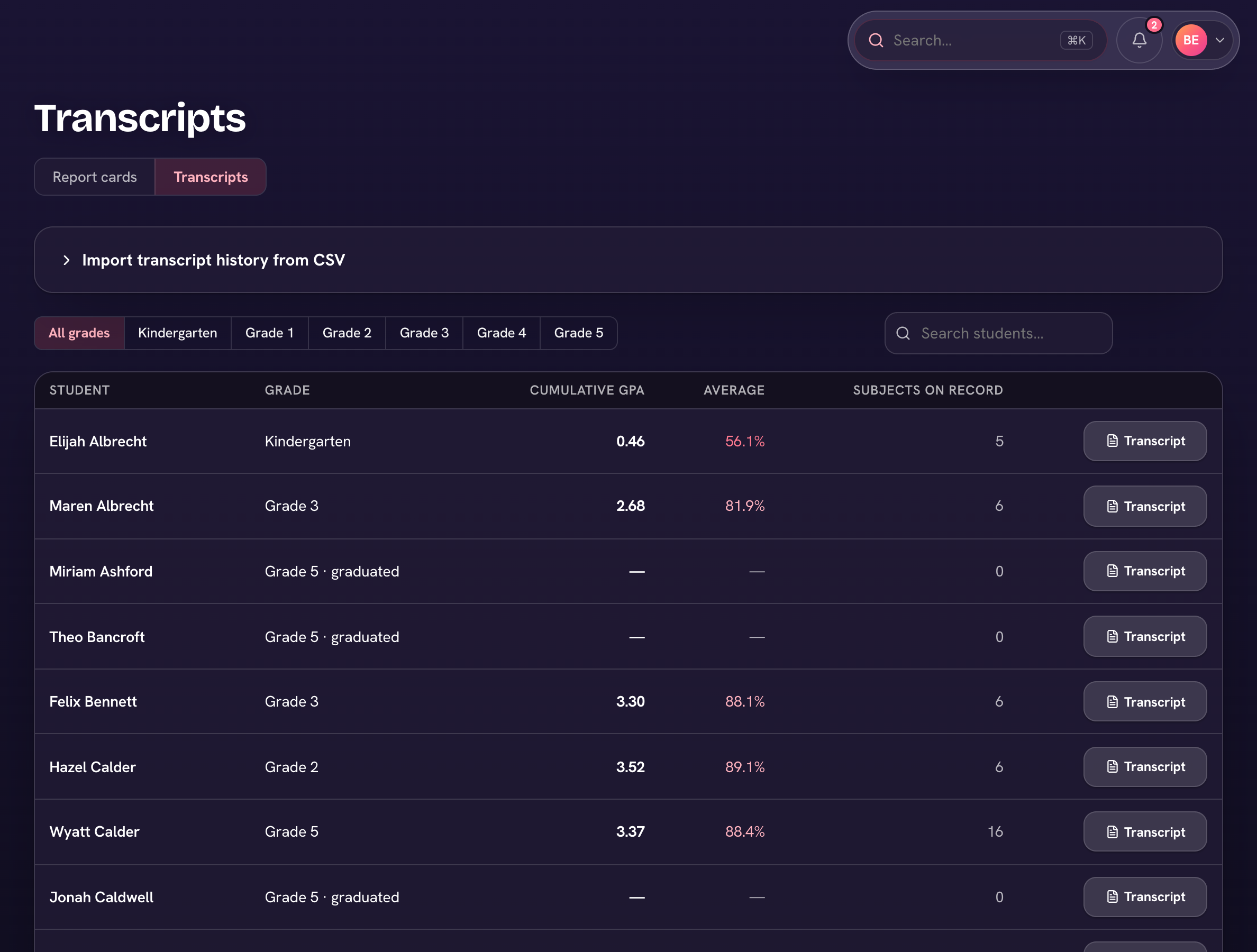
The per-student transcript shows cumulative GPA (on a standard 4.3 scale), cumulative average, credits earned, and a year-by-year breakdown — each year's terms with subject percentages and letter grades. Use the Print button for a clean copy for colleges or records requests.
Credit hours & graduation progress
- Set your requirements under Settings → Academics → Credit requirements — total credits to graduate, plus per-subject and per-grade requirements if you use them.
- Credits are earned automatically as students pass courses each year.
- Open a student's transcript — the Graduation progress section shows earned vs required credits overall, by subject, and by grade, with a status badge once all requirements are met.
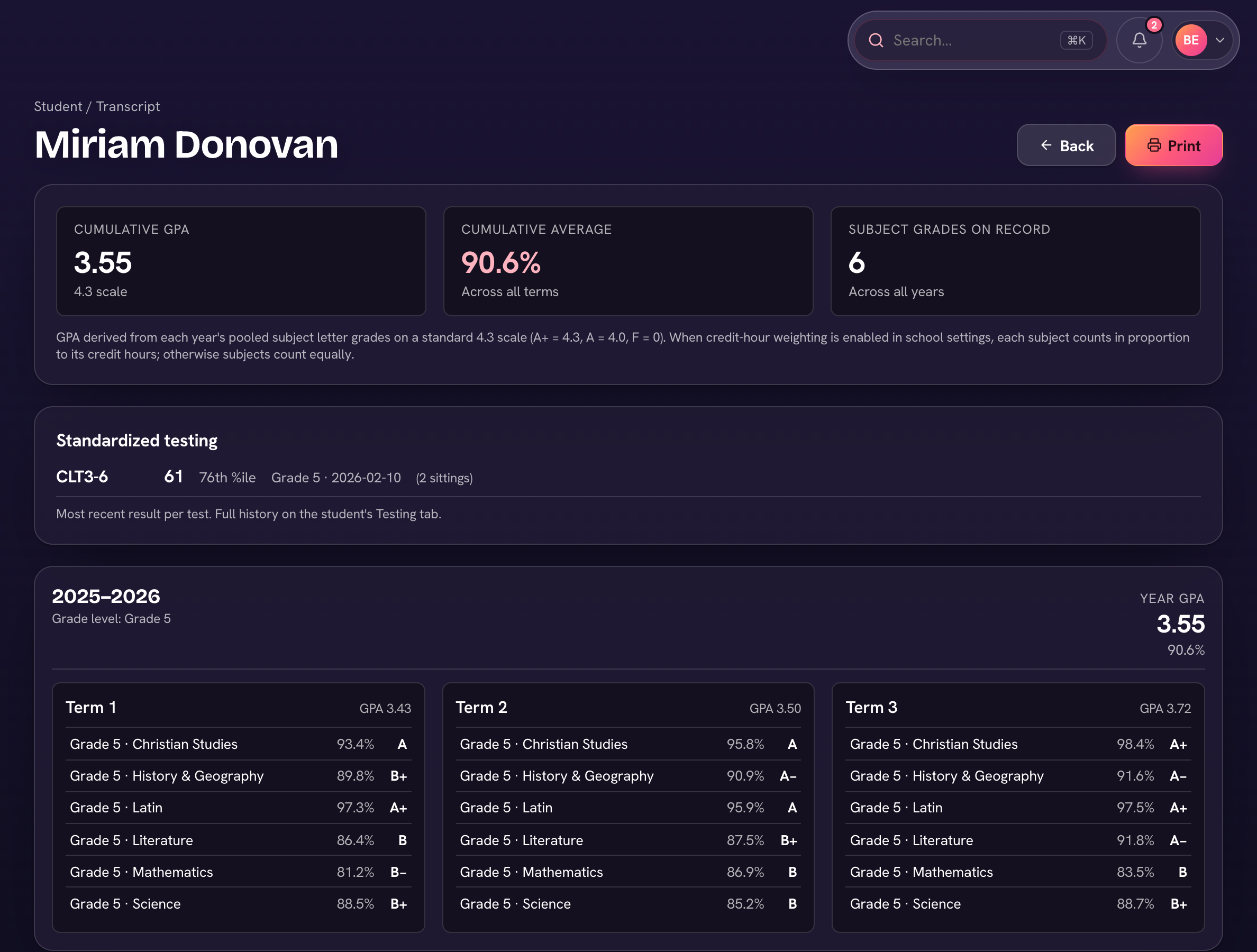
When credit requirements are set, GPA can weight by credit hours — a one-credit course counts more than a half-credit one.