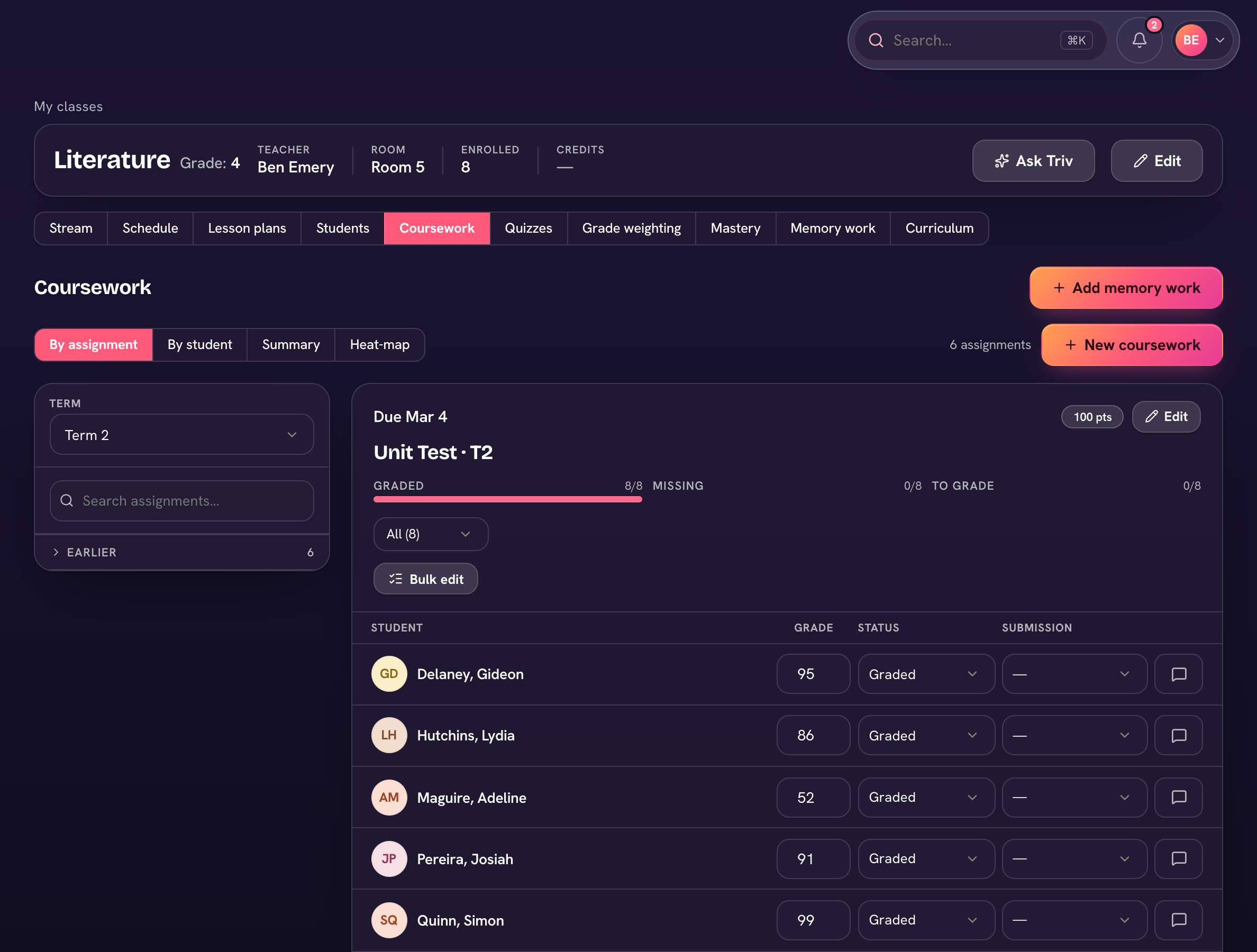
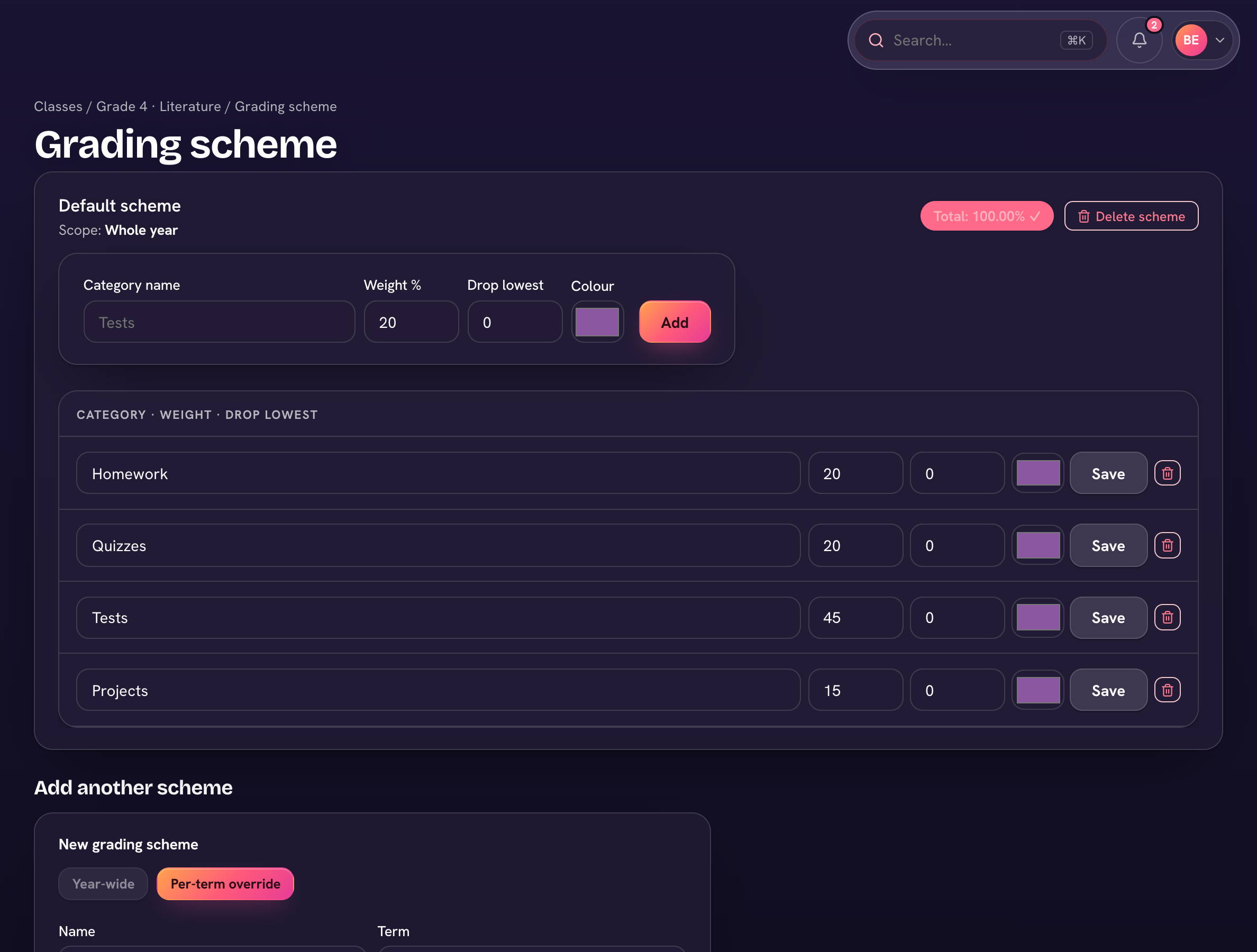
Every class has a Gradebook tab. A class grades either by percentage (weighted categories, e.g. Tests 40%) or by points — set it under the Gradebook's ⋯ → Grading settings (see Grading settings & category weights).
Views
- By assignment — grade one item down the roster; Enter moves you to the next student.
- By student — one student's full picture across the class.
- Quizzes — the class's online quizzes.
- Summary and Heat-map — under the Gradebook's ⋯ menu.
- Open the class and choose the Gradebook tab.
- Choose Add work to add a graded item — pick its type, category, points and due date.
- Type each score (or a letter grade — it scores at the middle of your school's band for that letter).
- Ungraded homework for the class is listed with the coursework, so everything set is in one place.
Your cross-class worklist is To grade in the sidebar — everything turned in or past due that still needs a score.