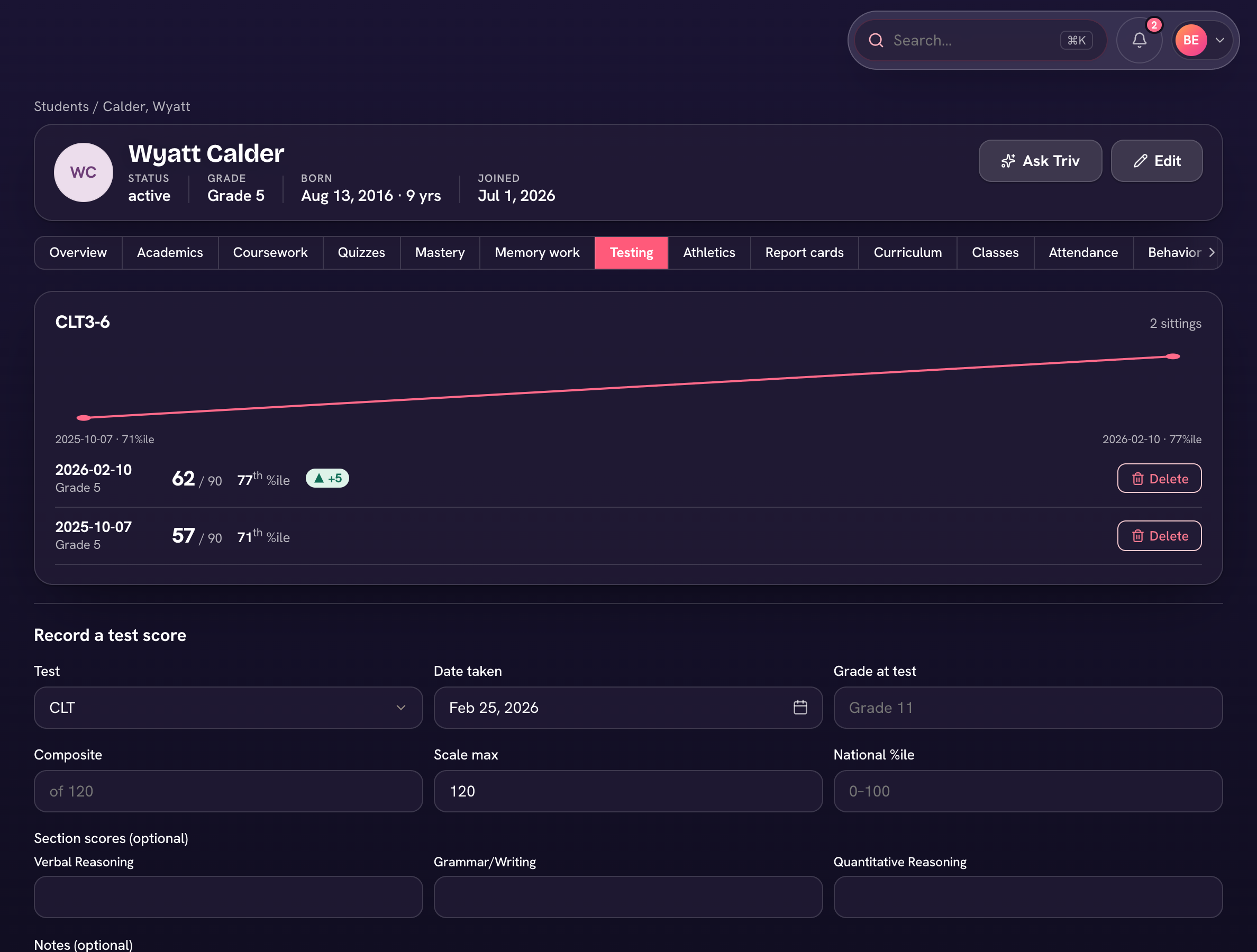
Trivium keeps standardized testing next to the rest of the record. Record a sitting on the student's profile under Academics → Testing: the test type (CLT, SAT, ACT, Iowa, or your own), date, grade level, composite score, and percentile. It then shows on their transcript automatically.
Import a whole test administration
- Open Reports → Standardized testing and choose Import scores.
- Columns: student ("Last, First", email, or external_id), test_type, test_date, grade, composite, scale_max, percentile, notes.
- Choose CSV and Import — you'll see "Imported X · Y skipped" with any errors listed.
The Testing report charts each test type year over year — average composite and median percentile with growth deltas — so you can see the school moving, not just one sitting. Each student's tab charts their own growth across sittings, and the most recent result per test prints on the transcript.
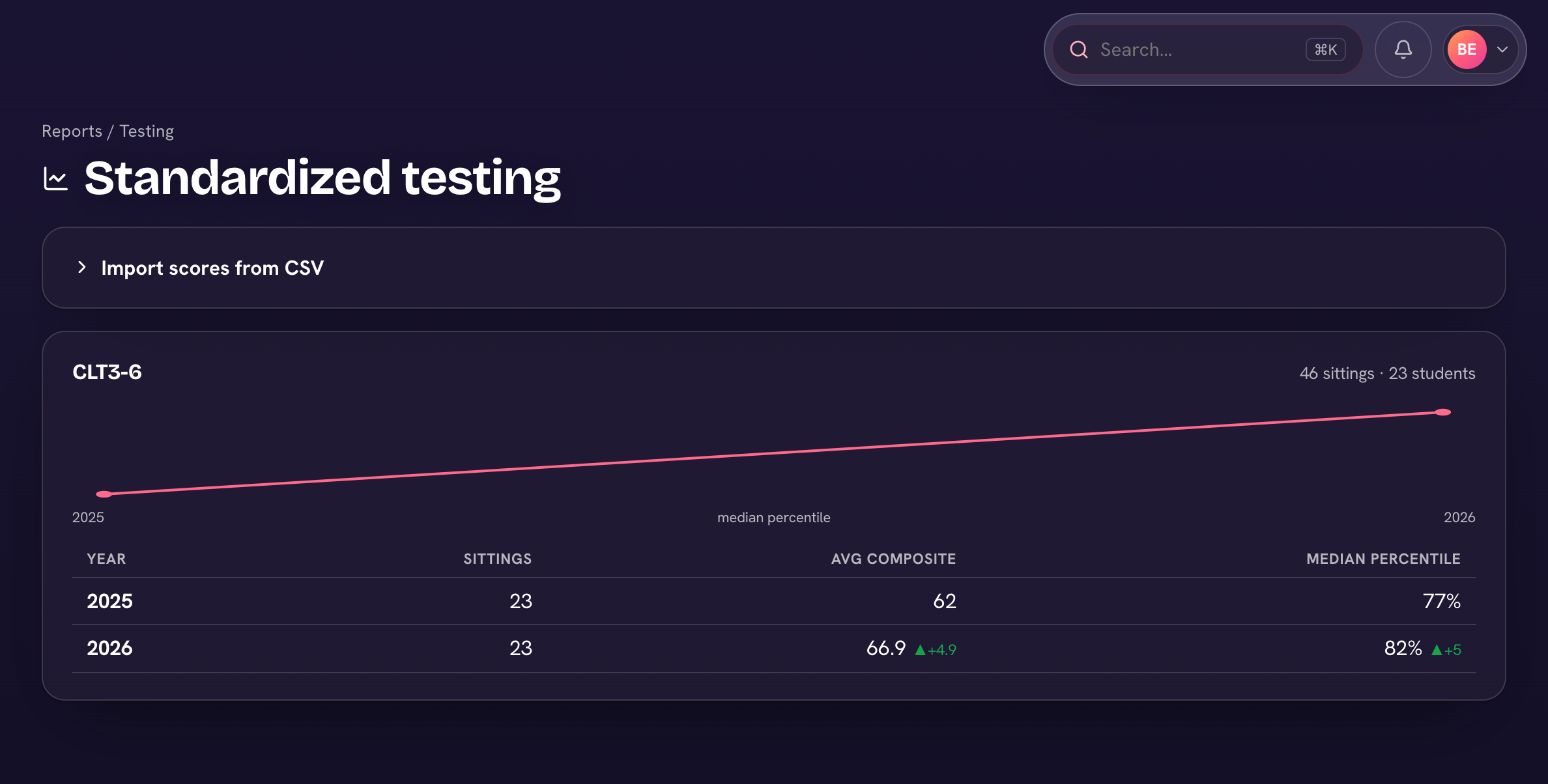
The CSV import adds sittings rather than replacing them — a student can sit the CLT twice a year and keep both results.