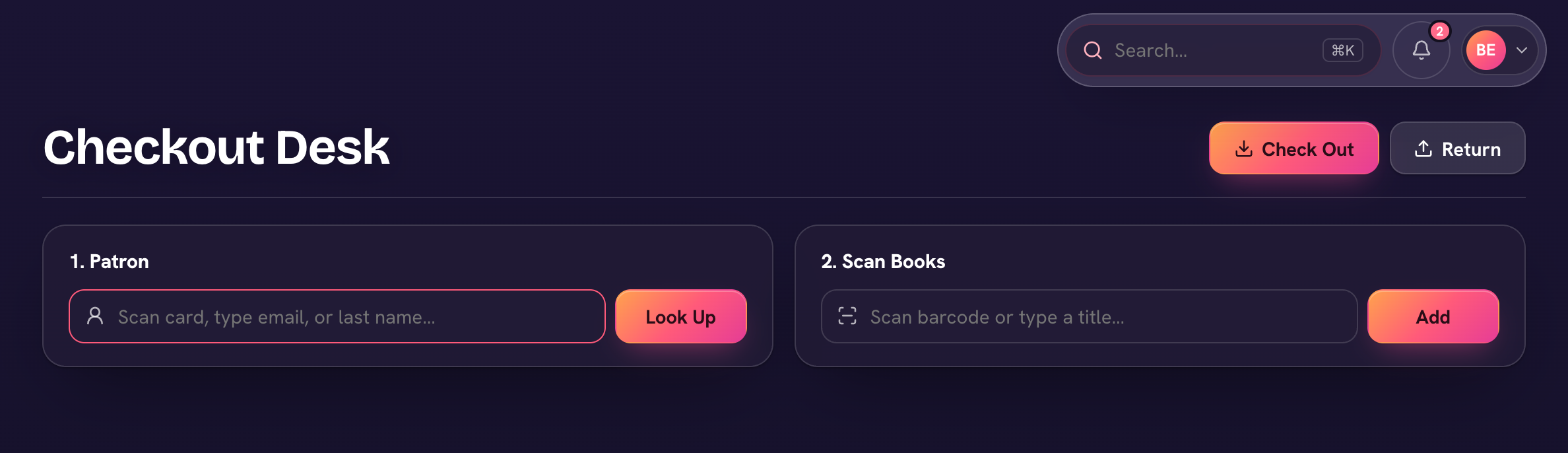
Library → Checkout is the circulation desk, built for a scanner but happy with a keyboard. It has two modes: Check out and Return.
- In Check out, find the patron — in "Scan a card, or type a name or email…", scan their card or type to search.
- Scan each book's barcode (or type a title). Each book is added to the desk — remove any you scanned by mistake.
- Choose Check out N books. Due dates follow your loan period; print a Receipt if you like.
- Returns are even quicker: switch to Return and scan each book — no patron lookup needed.
Library → Loans tracks everything out, with Active, Overdue, and All views. Overdue reminders email the family automatically. If a book comes back damaged (or doesn't come back), mark it damaged or lost from the loan: there are no fines, but the replacement cost becomes the family's obligation, and you can charge it or mark it replaced from the Replacements view.
Students see their own checkouts and due dates under Library in their menu. From a loan's ⋯ you can Return, Renew, Mark damaged or Mark lost.