A transfer student's transcript shouldn't start the day they arrived. Import their prior years by CSV and they appear on the transcript as historical years with final grades, right alongside the years you've taught them.
- Open Records → Transcripts and choose Import history — it opens "Import transcript history from CSV".
- Prepare a CSV with one row per subject per year. Columns: student (as "Last, First" — or use email or external_id), year (e.g. 2023-2024), grade, subject, percent, letter, credits.
- Choose CSV (or paste the text) — use Load sample to see the expected shape.
- Choose Import. You'll see "Imported X · Y skipped" with any per-row errors listed.
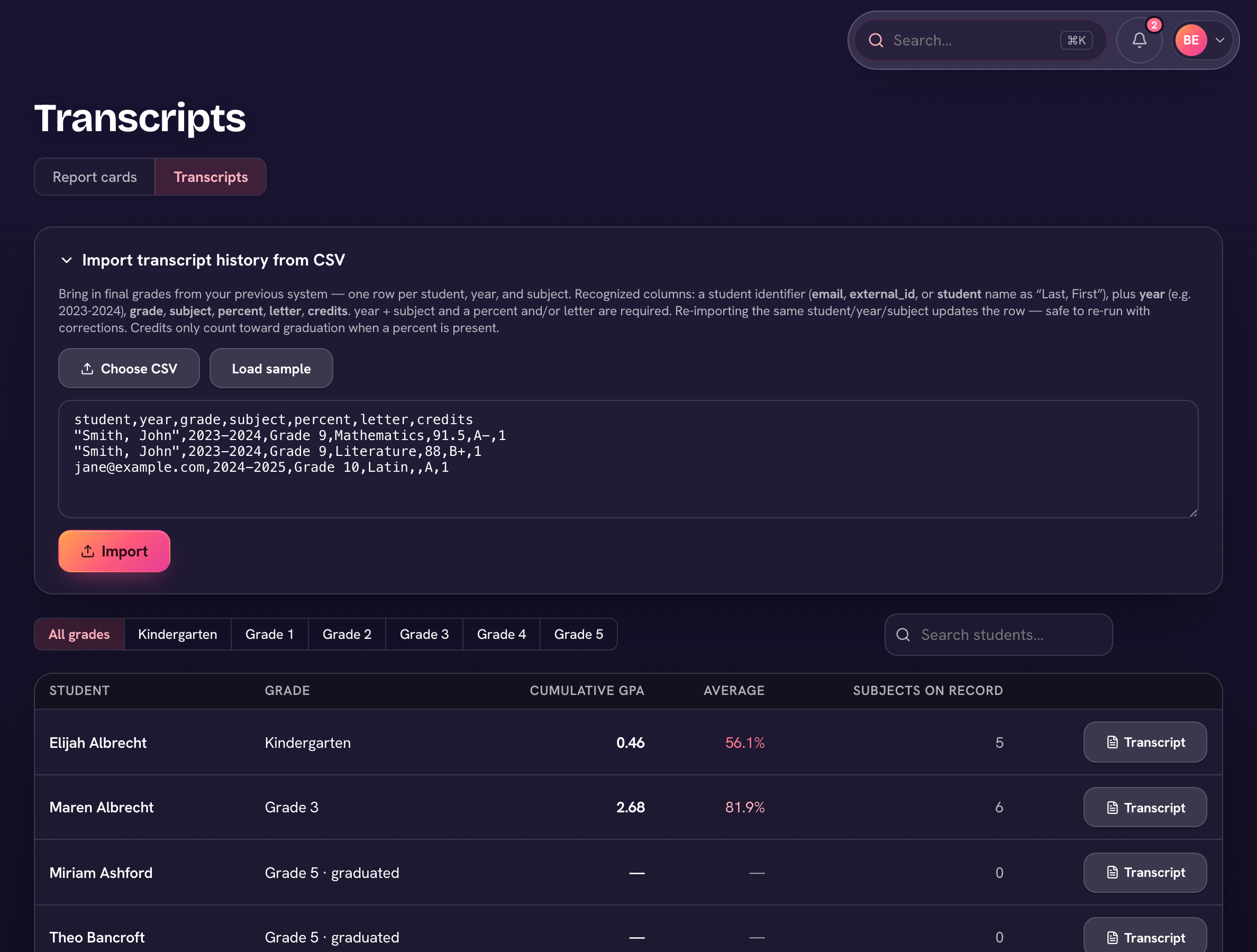
Re-running an import is safe: the same student, year, and subject updates the existing row instead of duplicating it. Fix your CSV and import again until it's clean.
Credits only count toward graduation requirements when the row has a percent — a letter grade alone displays but doesn't earn credit.