Sometimes the school asks a parent to sign a conduct note about their child. Signing records that you've read it. The school sees your name and the time.
Where to find it
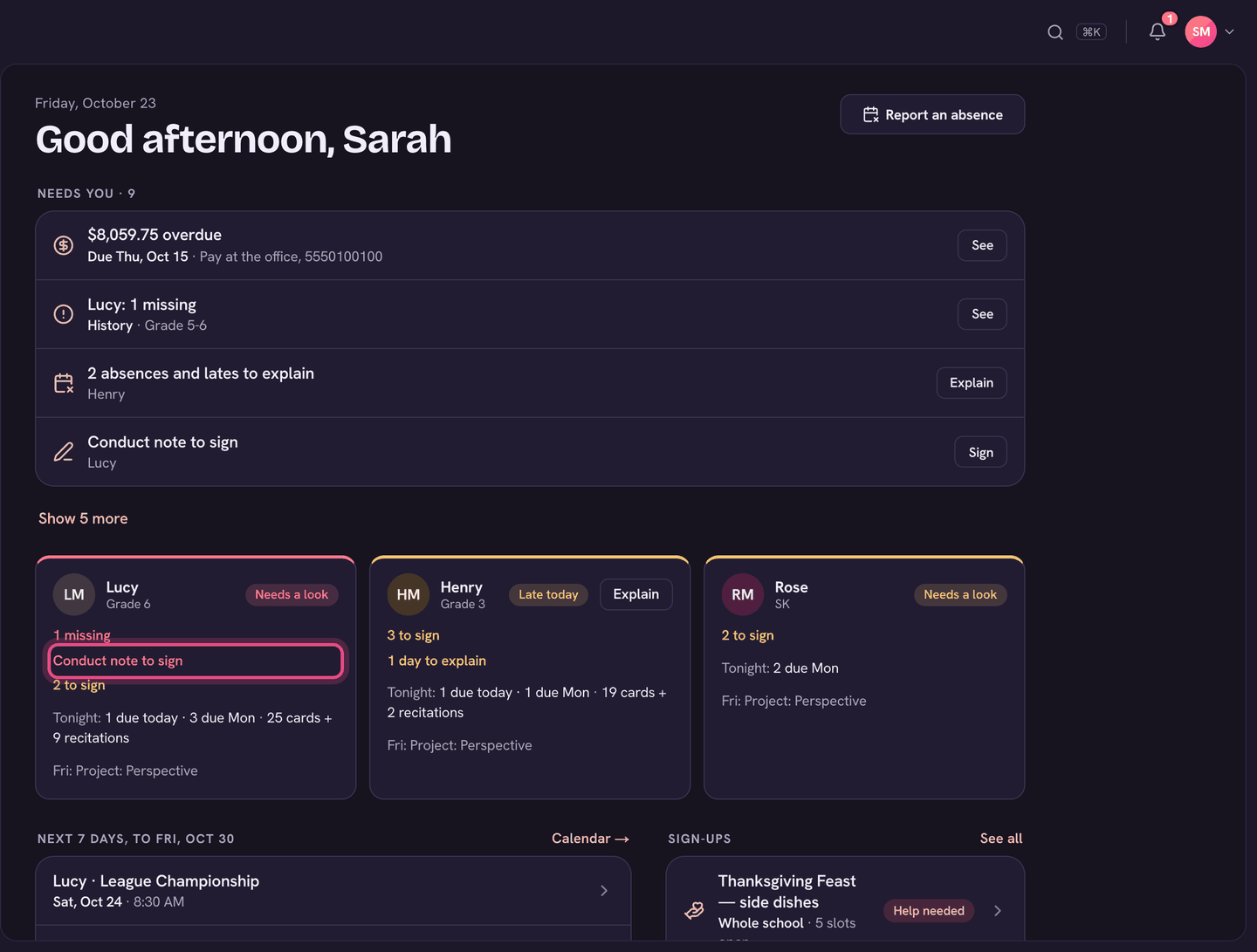
A note waiting for you shows on Home under Needs you, as Conduct note to sign, with Sign. You can also open your child's page and choose Conduct notes.
Sign it
- Choose Conduct note to sign on Home (or Conduct notes on your child's page).
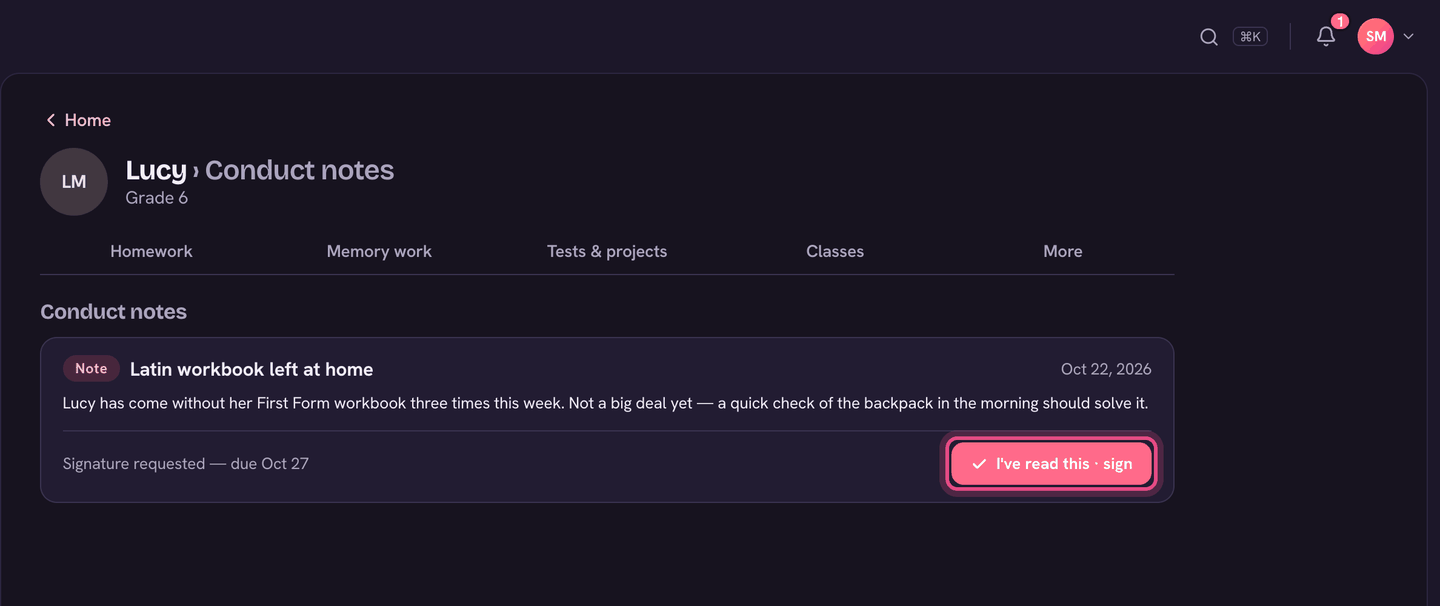
- Read the note. Each one shows whether it's a Note, Warning or Major, the date, and what happened.
- A note that needs you says Signature requested, with a due date if there is one.
- Choose I've read this · sign. The note then shows Signed.
Only a parent or guardian linked to your child can sign. Questions about a note? Message the teacher from your child's page.
On the app
- Tap Conduct note to sign on Home, or open your child and tap Conduct notes.
- Tap Sign on the note, then Sign again to confirm.