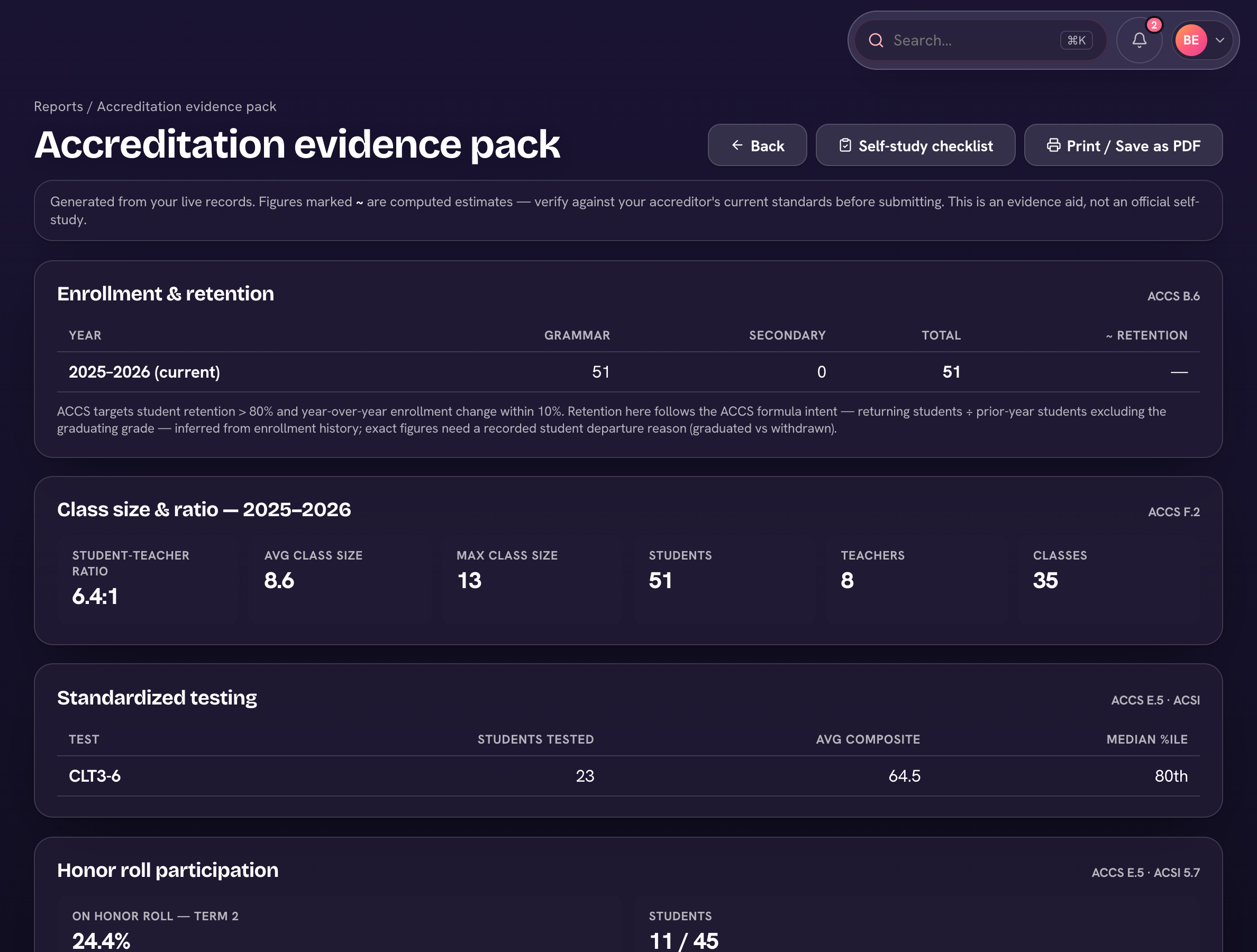
Accreditation season usually means a season of spreadsheet archaeology. Trivium compiles the numbers for you: Reports → Evidence pack (in the Accreditation group) generates the evidence pack from your live data — the multi-year metrics ACCS and ACSI ask schools to bring.
- Enrollment & retention year over year, class size and student-teacher ratio.
- Standardized testing, honor roll participation, and GPA distribution.
- Faculty tenure, retention, degrees, and qualifications (statement of faith, background checks).
- Financial health — tuition vs donations, donor concentration, students on aid.
- Graduate outcomes — college-bound rates and matriculation.
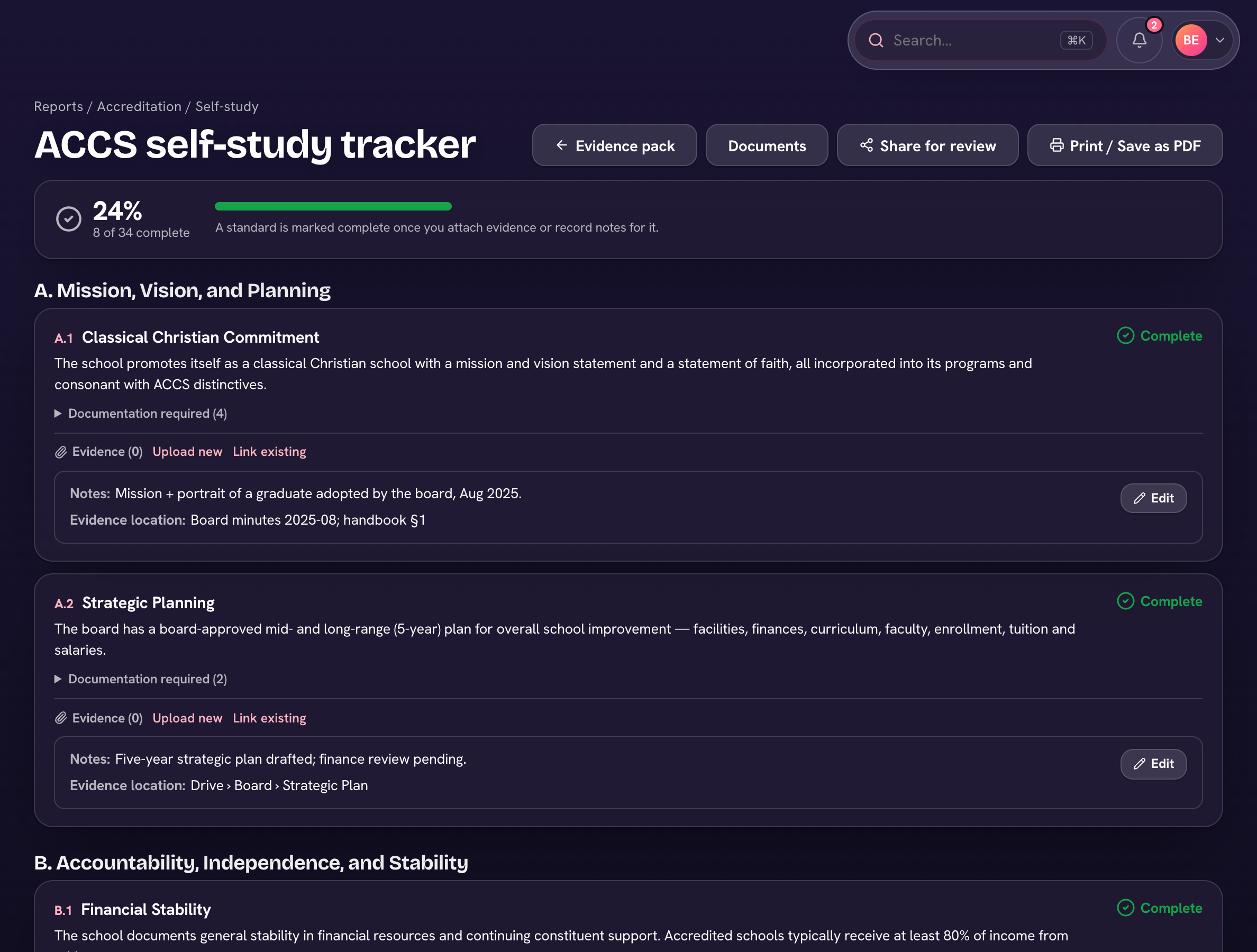
The self-study tracker
- Open Reports → ACCS self-study or ACSI self-study (also in the evidence pack's ⋯).
- Work through the standards by category — each is marked complete once you attach evidence or record notes, and a progress bar tracks the whole study.
- Where Trivium already has the data, the standard links straight to it ("Trivium provides").
- Share it with your visiting team from ⋯ → Share for review (Create review link, then Copy), or choose Print / Save as PDF for the binder.
Figures marked ~ are computed estimates — verify against your accreditor's current standards before submitting. It's an evidence aid, not the official self-study.