When school closes for snow or dismisses early, you need one message that reaches everyone now. Emergency alerts (in the Office group of the sidebar) sends a text and email blast in one step — it's part of core Trivium on every plan.
- Open Emergency alerts and write the message — up to 320 characters, like a text.
- Choose the audience: Everyone (parents + staff), Parents only, or Staff only.
- Tick the channels — Text message, Email, or both.
- Choose Review & send. The "Send emergency alert?" check shows exactly how many phones and email addresses it reaches before you confirm with Send alert.
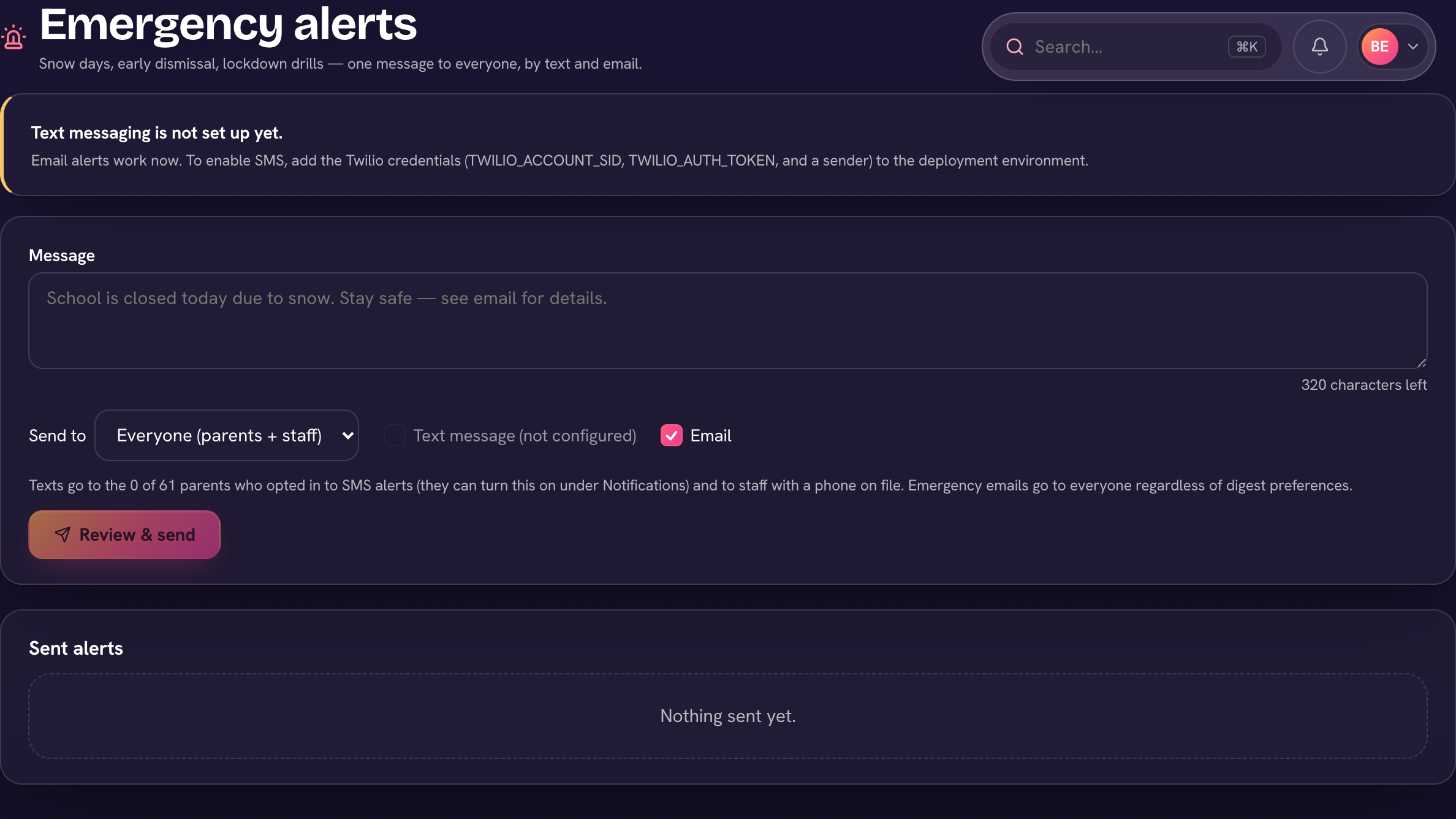
Texts go to parents who've opted in to text messages (they turn that on in My account, from their account menu) and to staff with a phone on file. Emergency emails go to everyone regardless of digest preferences — a paused inbox doesn't pause a lockdown notice. Every alert is logged below the composer with its delivery counts: how many texts and emails sent, and any failures.
The composer shows how many parents have opted in to texts before you ever need it — if the number's low, nudge families to flip on SMS alerts now, not during the emergency.