A player can be held back for two reasons: missing paperwork (consent, a physical, a fee, your own requirements, academic standing) or an injury. Who can play shows both on one board. Clearance rules is where your school decides what counts.
Where to find it
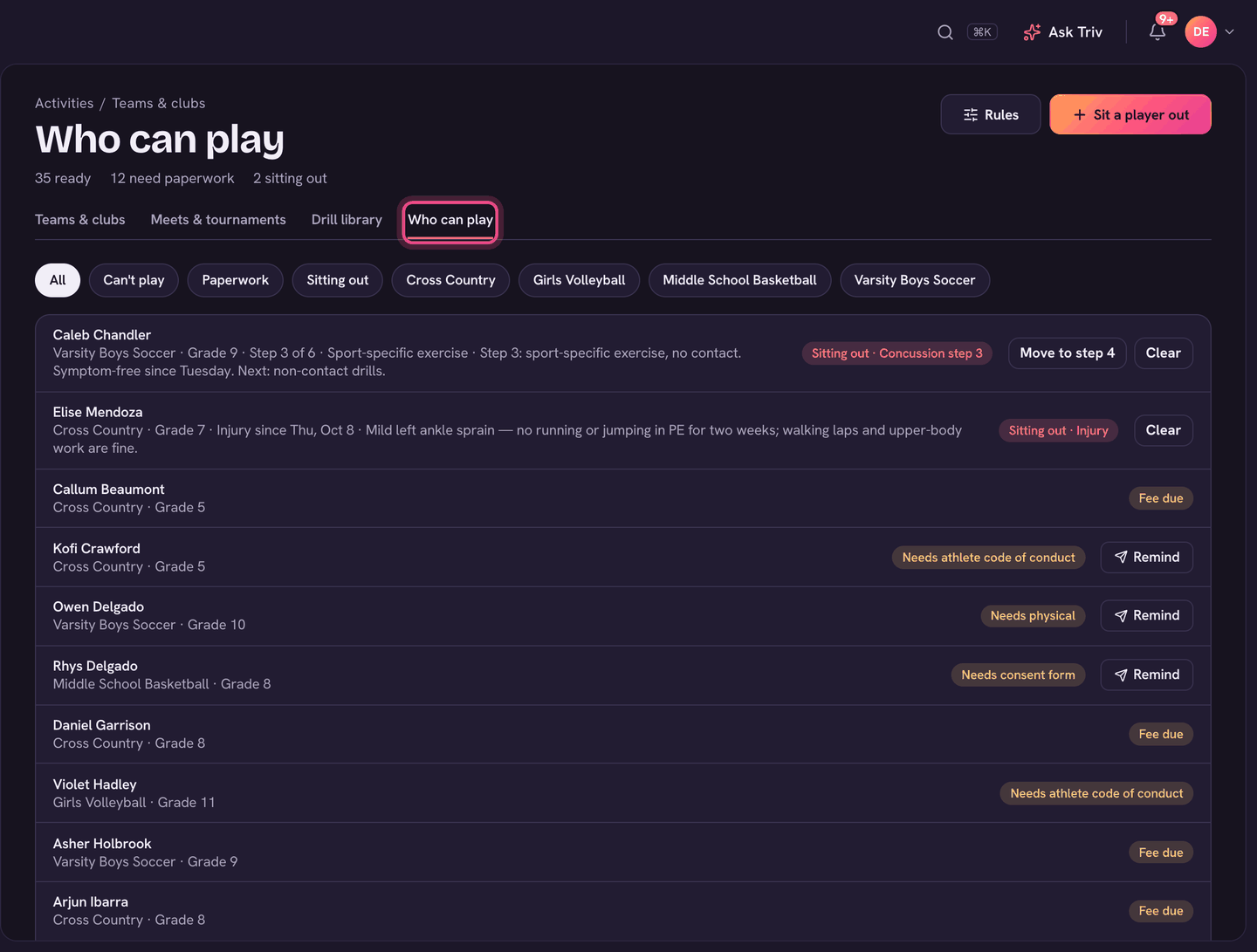
Choose Teams & clubs, then the Who can play tab. Admins see every sports team; coaches see the teams they coach. Rules at the top opens Clearance rules.
Set your school's rules (admins)
- On Who can play, choose Rules.
- Under What every sports team needs, switch on what counts: Signed consent form, Sports physical (and how many months a physical lasts), Health info & emergency contacts checked, Team fee paid (as soon as it's unpaid, or only once overdue), and Probation also means not cleared.
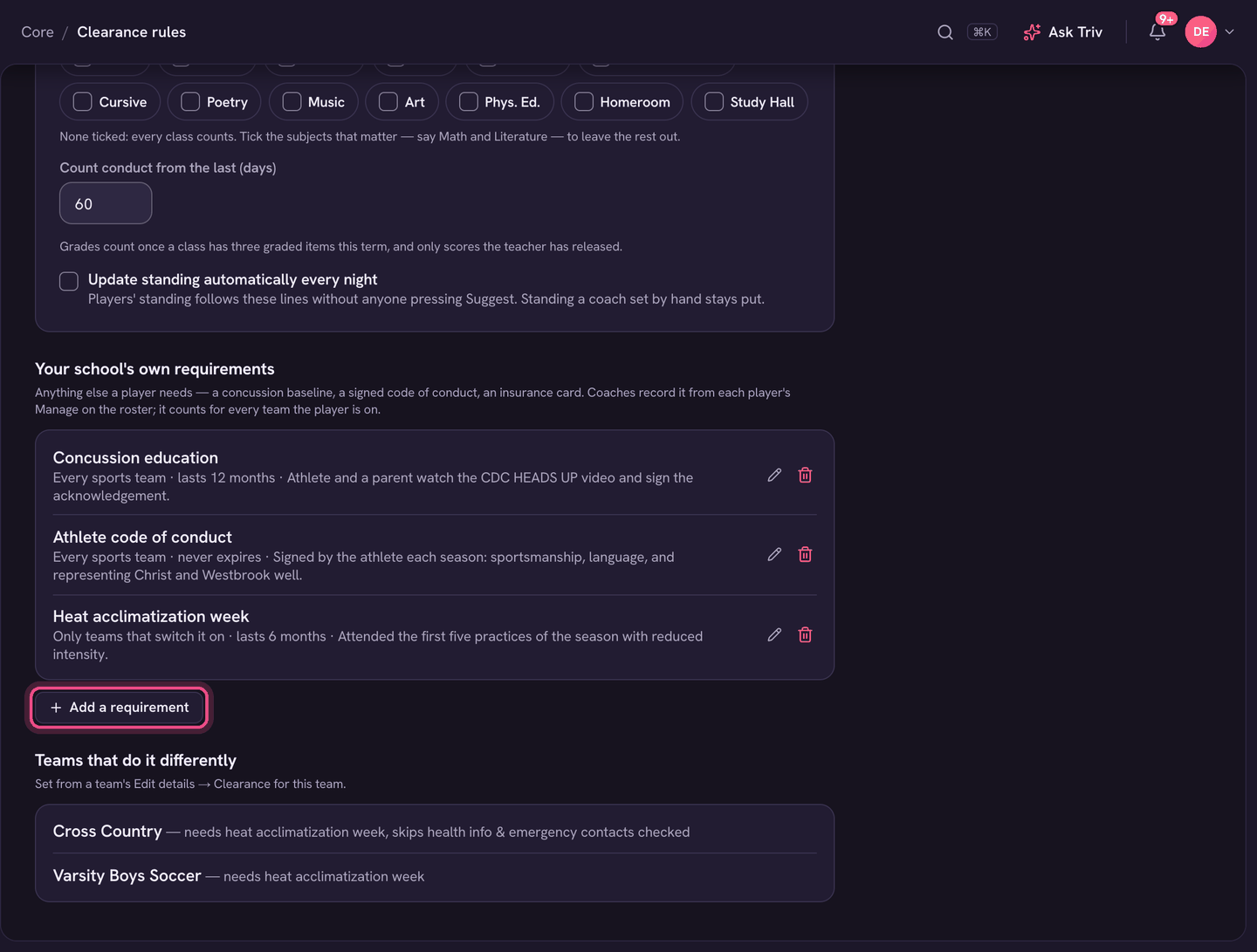
- Under Your school's own requirements, choose Add a requirement for anything else, like a concussion baseline test. Say how long it lasts and whether it applies to every sports team or only teams that switch it on.
- Changes save by themselves; you'll see Saved.
Academic eligibility
- Set a Probation at and Ineligible at line for work not handed in this term, major conduct incidents, conduct warnings and a class average. Leave a box empty to ignore it.
- Under Grades count in, tick the subjects that count toward the grade lines (say Math and Literature). With none ticked, every class counts.
- A class counts once it has three graded items this term, and only scores the teacher has released.
- Turn on Update standing automatically every night to keep standing current without anyone pressing Suggest eligibility. Standing a coach set by hand stays put.
For coaches
- Use the chips: All, Can't play, Paperwork, Sitting out, or one team.
- Remind messages the family about what's missing. Record physicals, consent and your own requirements from each player's Manage on the team roster.
- Sit a player out records a concussion, injury or illness. They show as Sitting out on every roster, Game day and register until cleared. A concussion moves through six steps.
- Paperwork is a checklist, not a lock. You can still take attendance for anyone.
A team can do things differently from its Edit details → Clearance for this team. Clearance rules lists every team that does. Clubs never need clearance. In the app, each player's clearance shows as a pill on the team roster.