Operations
Included in Core· See pricingThe school day, handled.
Attendance, duty, conferences, discipline, bell schedules, substitutes, documents, the alerts that catch problems early, and the message you hope you never send—the daily machinery of school, running quietly.
What's included
Everything in Operations.
Attendance
Class and day views with chronic-absence flags—so a pattern gets noticed in October, not April—and parents emailed automatically.
Duty roster
Who's standing where at recess and dismissal—with a separate rain-day roster, swaps between teachers, and closures handled.
Parent–teacher conferences
Teachers publish the slots they're free; parents book online; the office sees who hasn't booked yet.
Discipline, conduct & incidents
Merits, demerits, and behaviour notes on the student's own record, plus injury and incident reports parents can see—consistent, private, never lost in a drawer.
Bell schedules & term tracks per band
Grammar school on trimesters with its own bells, upper school on semesters—in the same year, without a workaround.
Substitute coverage
A sub signs in and sees only the classes they're covering, for exactly the days they're covering them.
Documents hub
Upload the handbook, the uniform policy, and the forms families ask for; publish them to the portal and link them to accreditation standards.
Alerts, at-risk & data health
Trivium checks the school overnight and flags slipping grades, chronic absence, overdue tuition, and likely-duplicate records—before they're a problem.
Emergency broadcast
One message by SMS and email to everyone, parents, or staff—with a delivery log for every send.
See it in action
Operations, on screen.
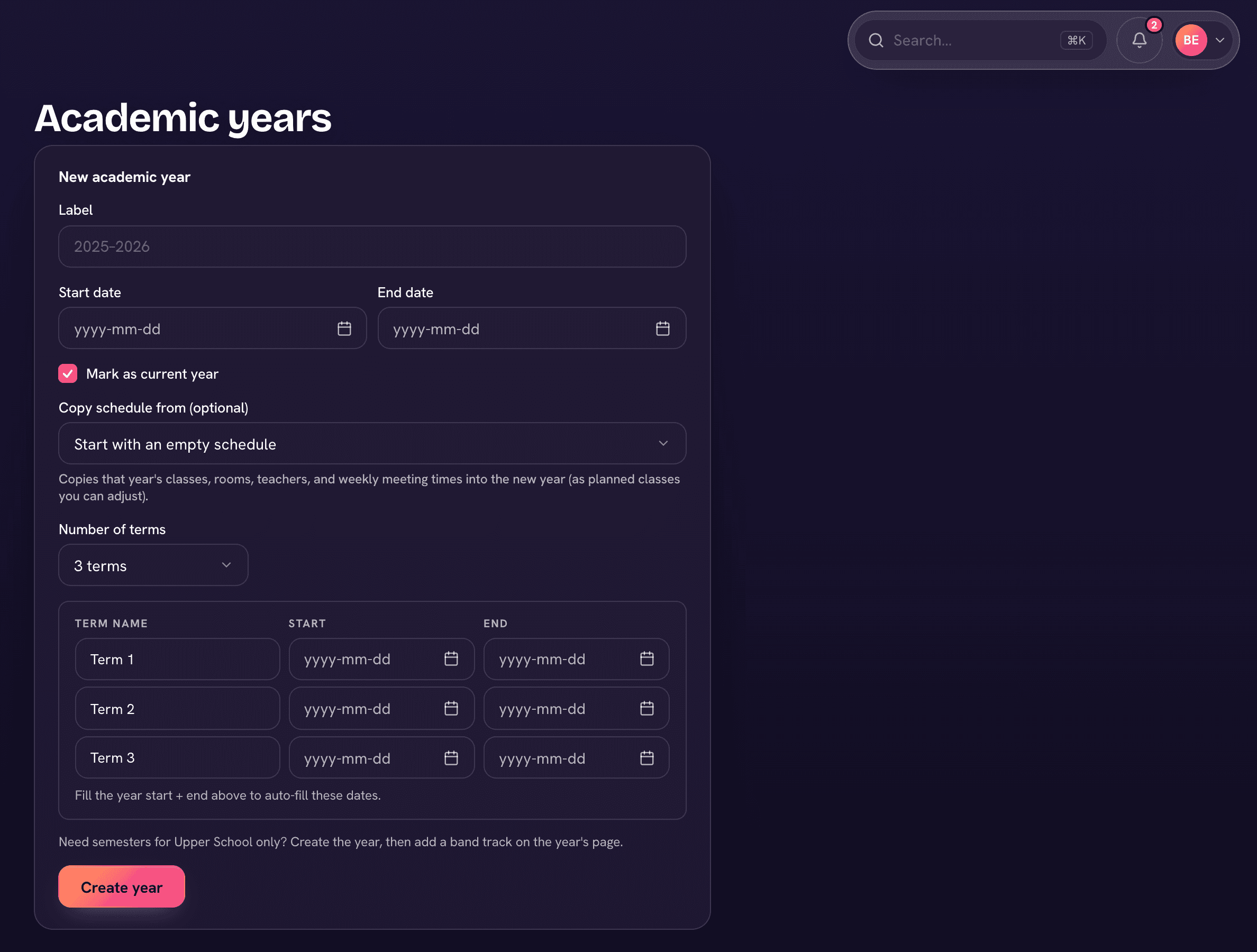
Two calendars, one year
Give Upper School its own semesters while the rest of the school keeps trimesters—grades, report cards, and honor roll all follow the right track.
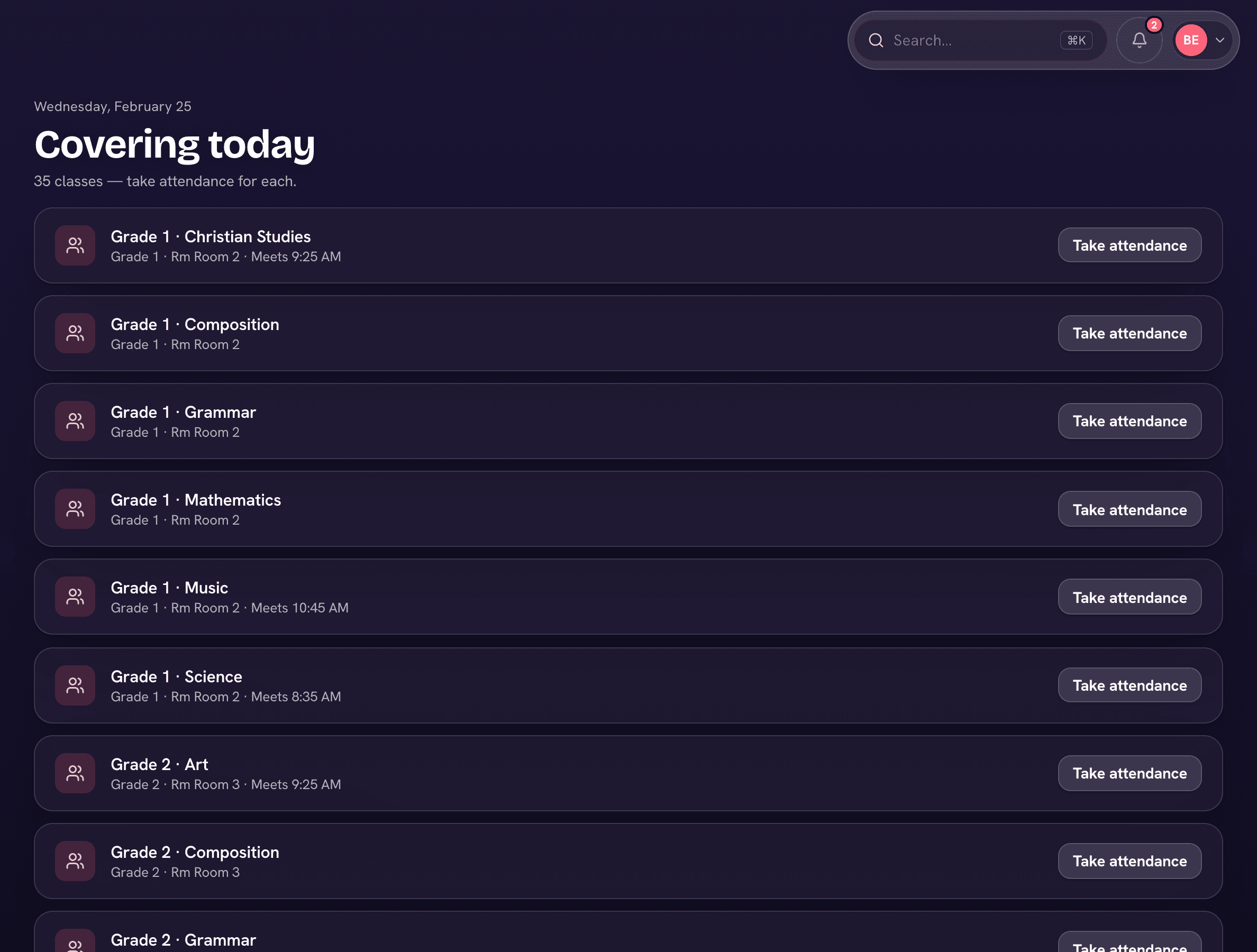
Coverage without handing over the keys
Assign a substitute to an absence and they see the covered classes—rosters, plans, attendance—and nothing else.
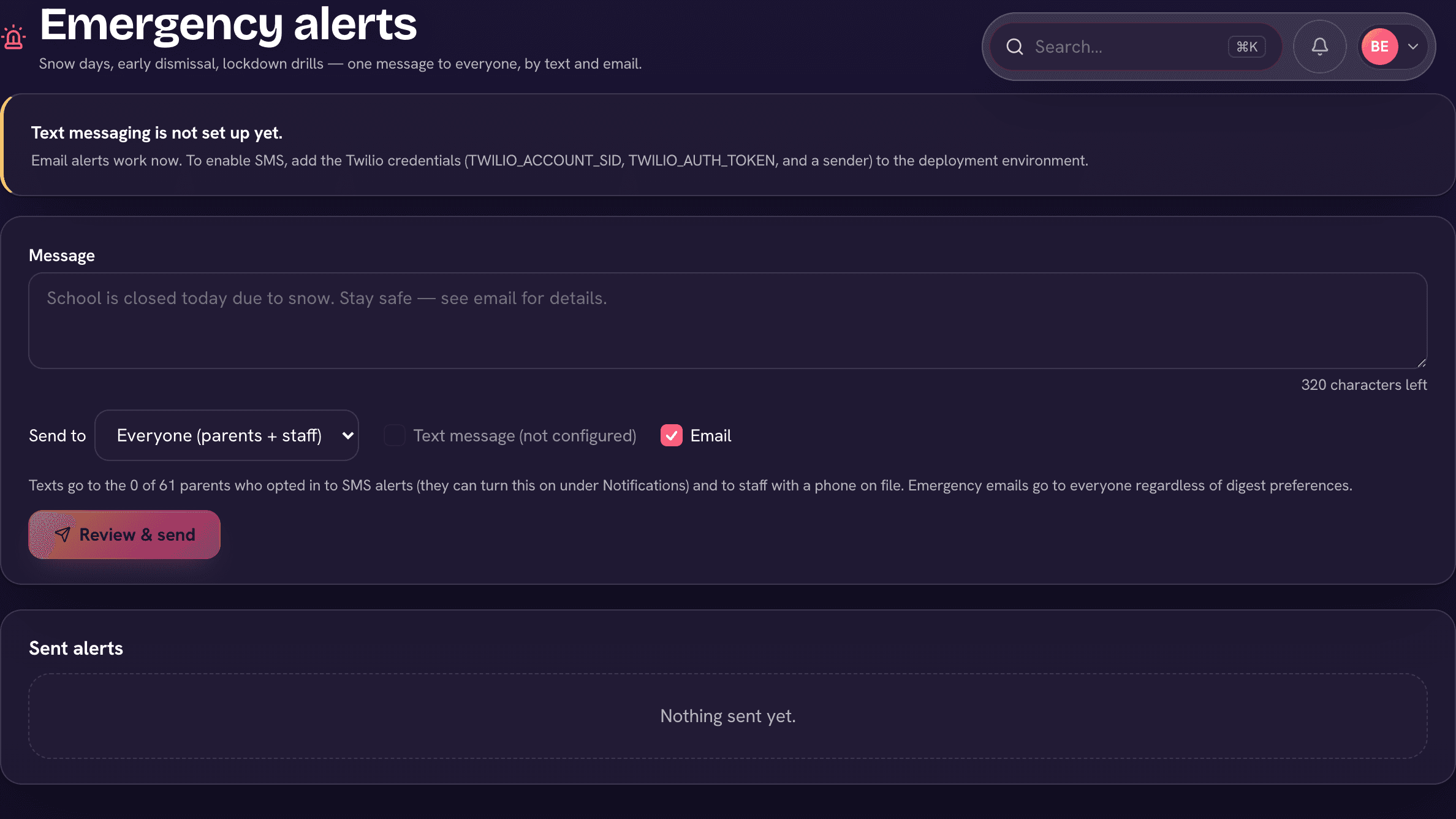
The message you hope you never send
Compose once, choose the audience, and it goes out by text and email—with a sent log showing exactly who it reached.
See Operations on your school's setup.
Book a demo and we'll show you Trivium running on a setup like yours—every question answered.